
Question
- How to duplicate a room in Mitigate sketch?
- How to attach a room to an existing one in sketch?
Answer
Follow the steps below to learn how to duplicate and attach a new room:
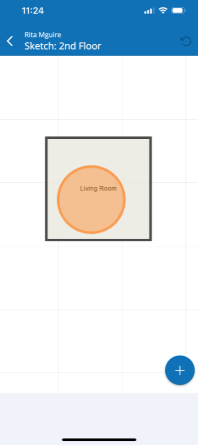
- Tap on an existing room.
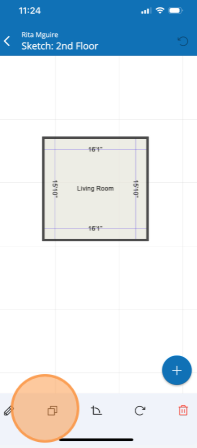
- Tap the Duplicate icon at the bottom of screen to copy the selected room.
- Tap the Canvas to place the copied room to the canvas.
- Tap the new room to move it, adjust the dimensions, and rename it.
- Move the room by holding down and dragging it to the new position.
- Change the name by tapping the pencil icon at the bottom of the screen.
- Type new Name and tap Save.