
Question
- How to create a room that is not a standard four walls?
- How to add an offset to a sketch?
Answer
Follow the steps below to learn how to add and edit offsets:
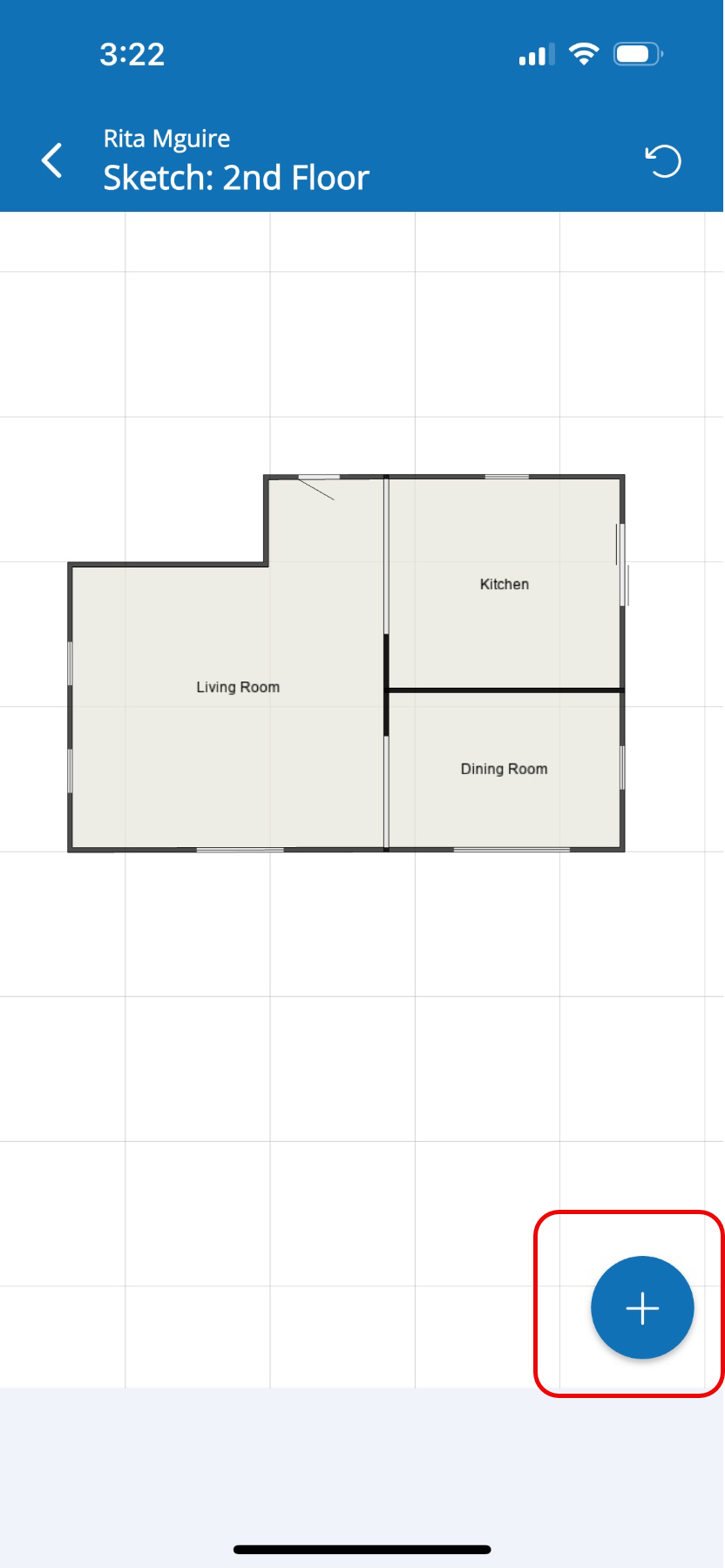
- Tap the Blue + button to access the Menu.
- Tap Offset from the Menu, found under Modifiers.
- Tap the wall where the Offset will be added.
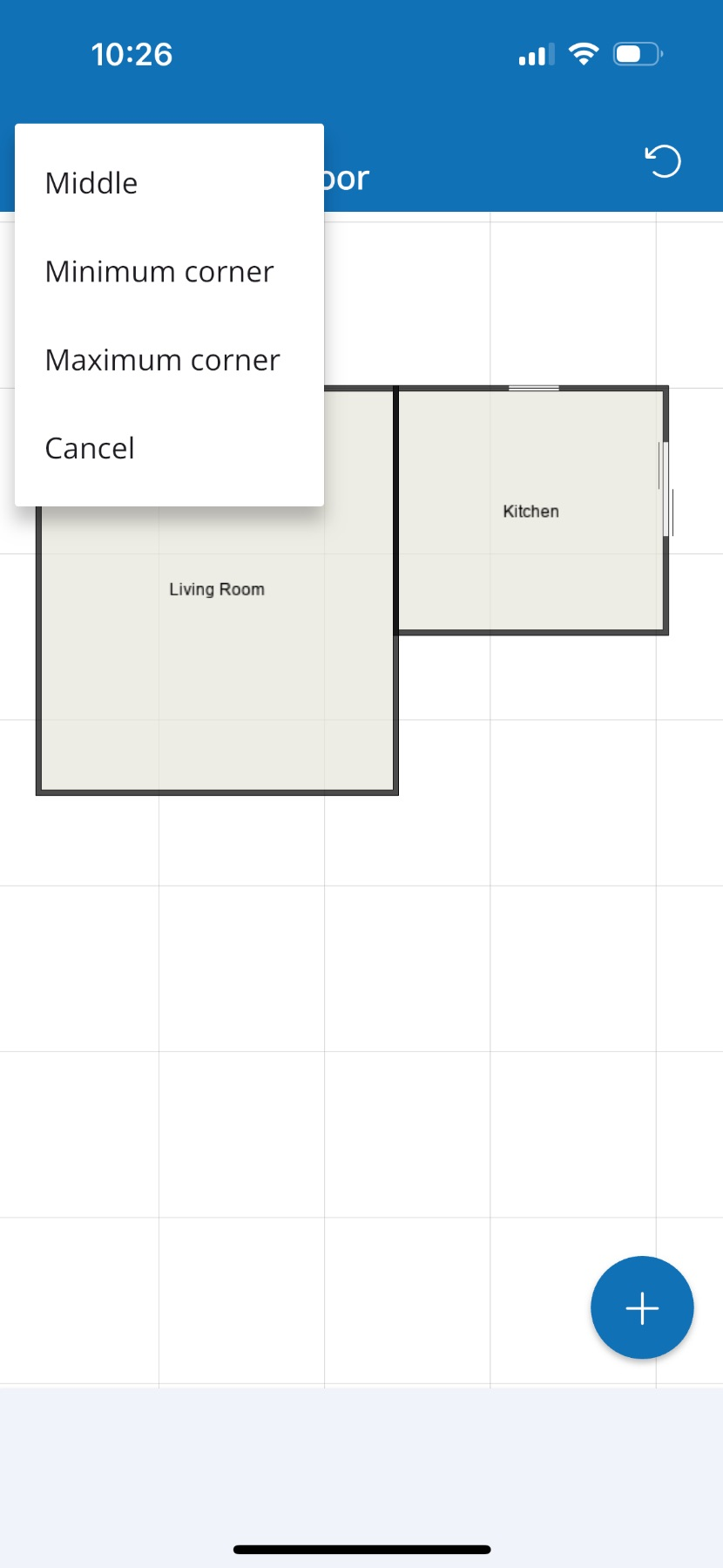
- From the pop-up window, tap the location on the wall where the Offset should be located.
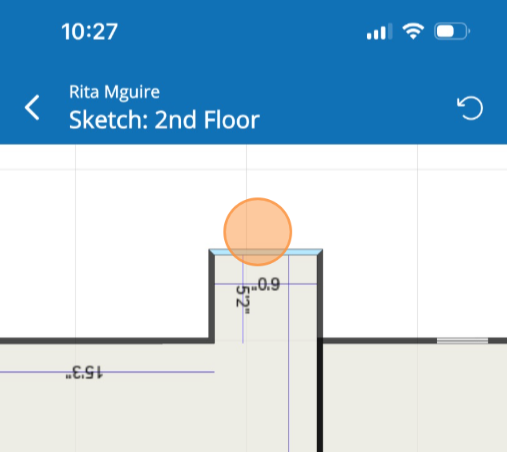
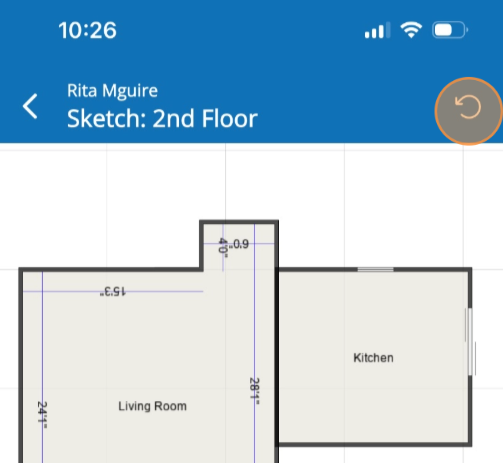
- Touch and drag the north wall of the Offset to increase or decrease it's dimensions.
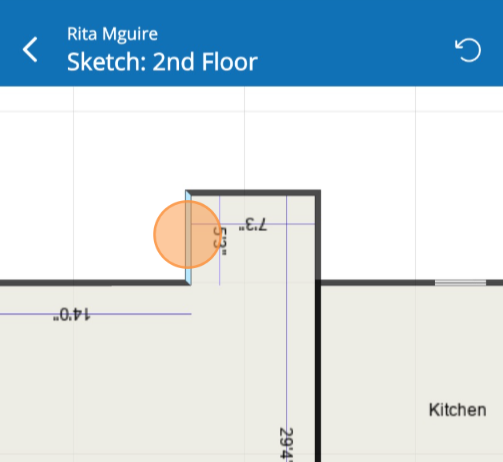
- Touch and drag the west all of the offset to also increase or decrease it's dimensions.
- Tap the circle arrow icon found on the top right of the screen to undo any possible mistakes with position of the offset.
Questions? Contact Us!