How do I make sure my scan measurements match the space?
How do I change the measurements of my LiDAR scan?
Answer
Mitigate Calibrating a LiDAR Scan
Follow these steps to calibrate your scan and ensure measurements match the physical space.
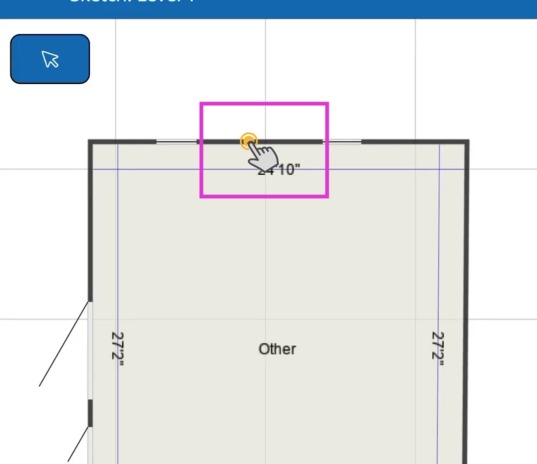
1. Tap a Wall
Start by tapping the wall you want to calibrate. It only takes the adjustment of one wall to complete the calibration.
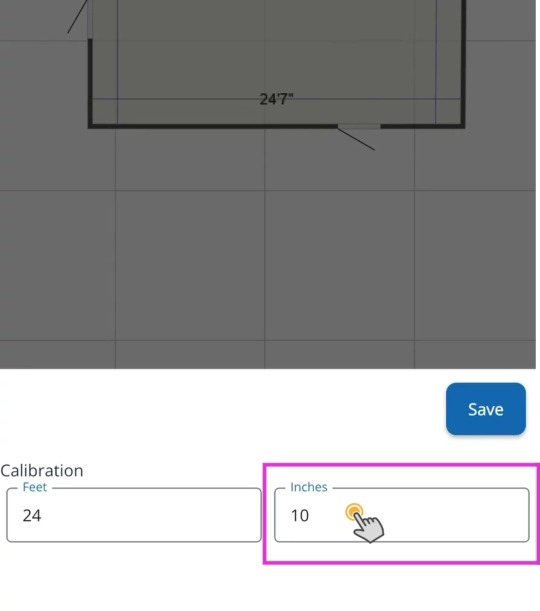
2. Enter Wall Measurement
Tap into each field to enter the correct wall measurement.
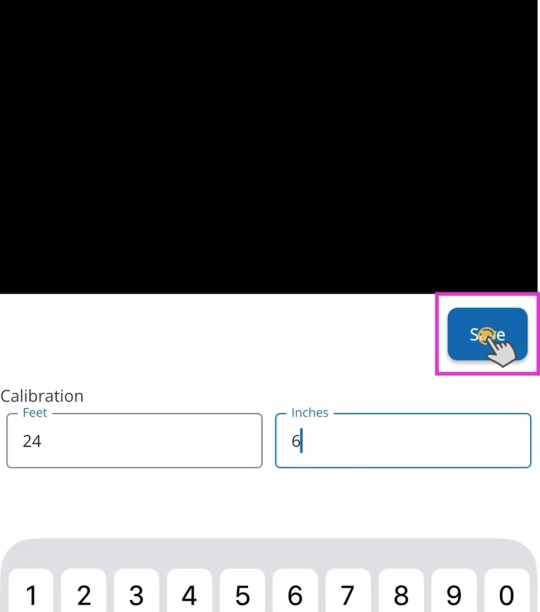
3. Save Changes
Tap Save to apply the change.
Tip: That completes the process for calibrating a LiDAR scan in Mitigate. The app automatically adjusts the other walls in the sketch to match the new scale.