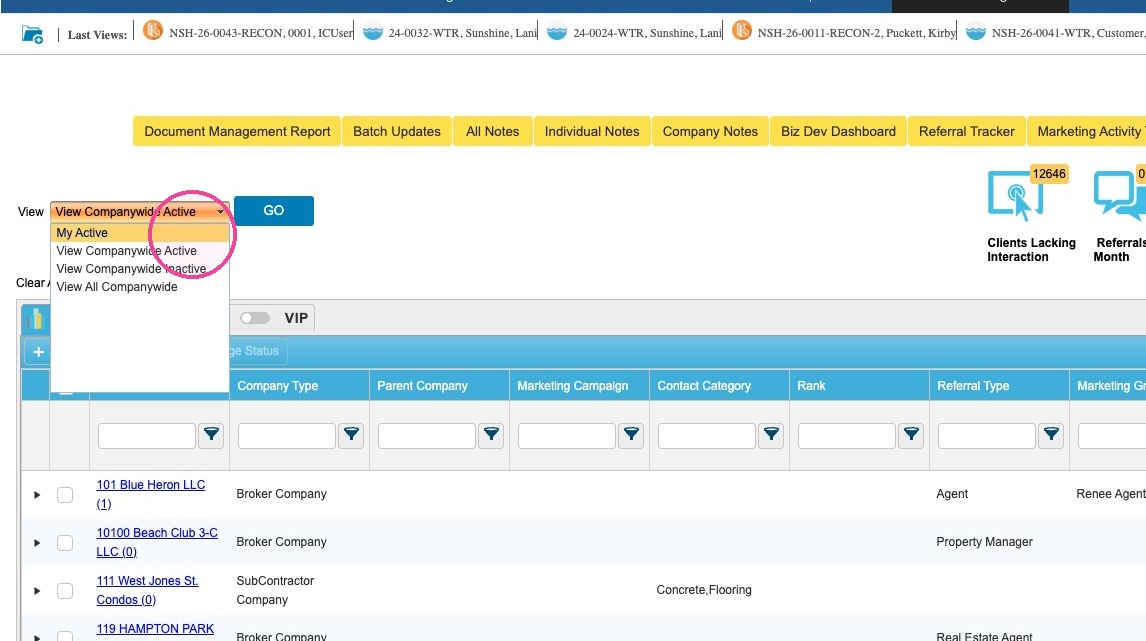
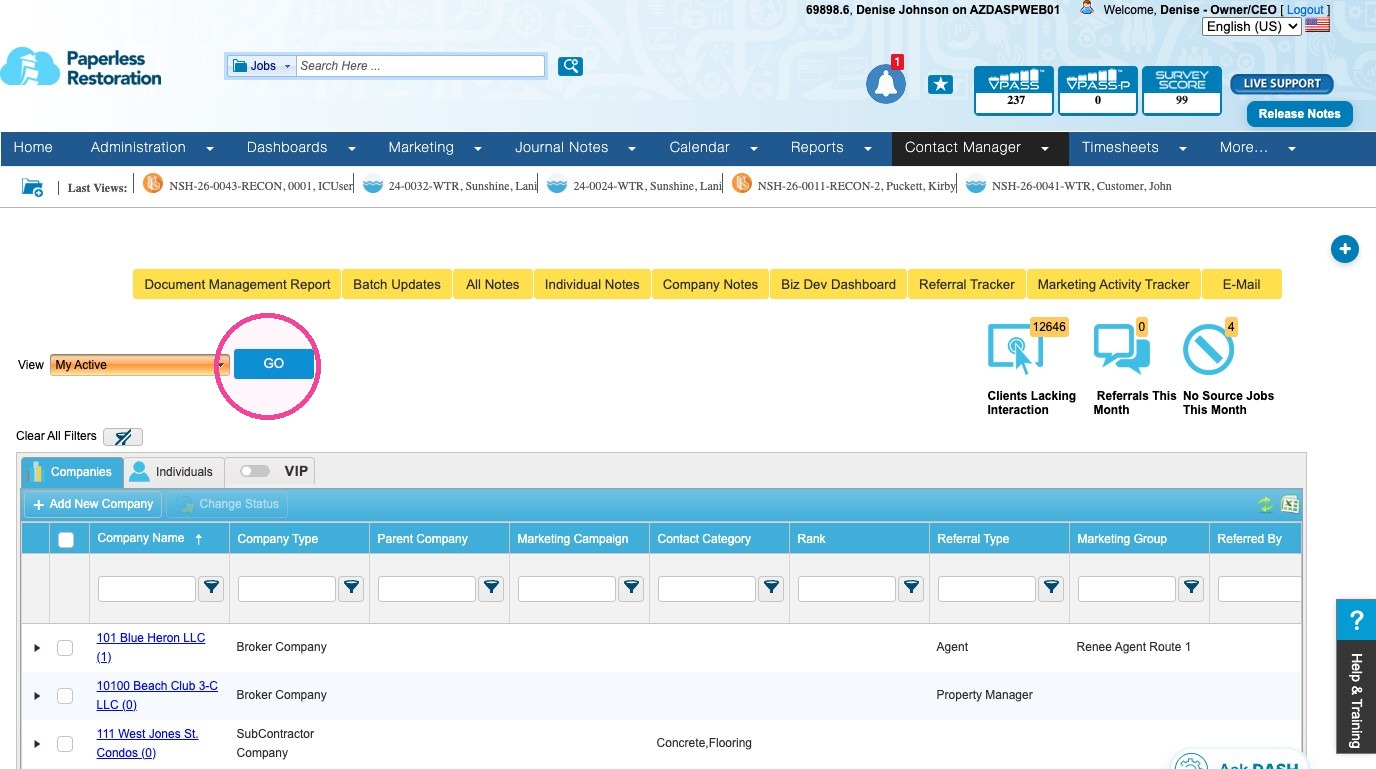
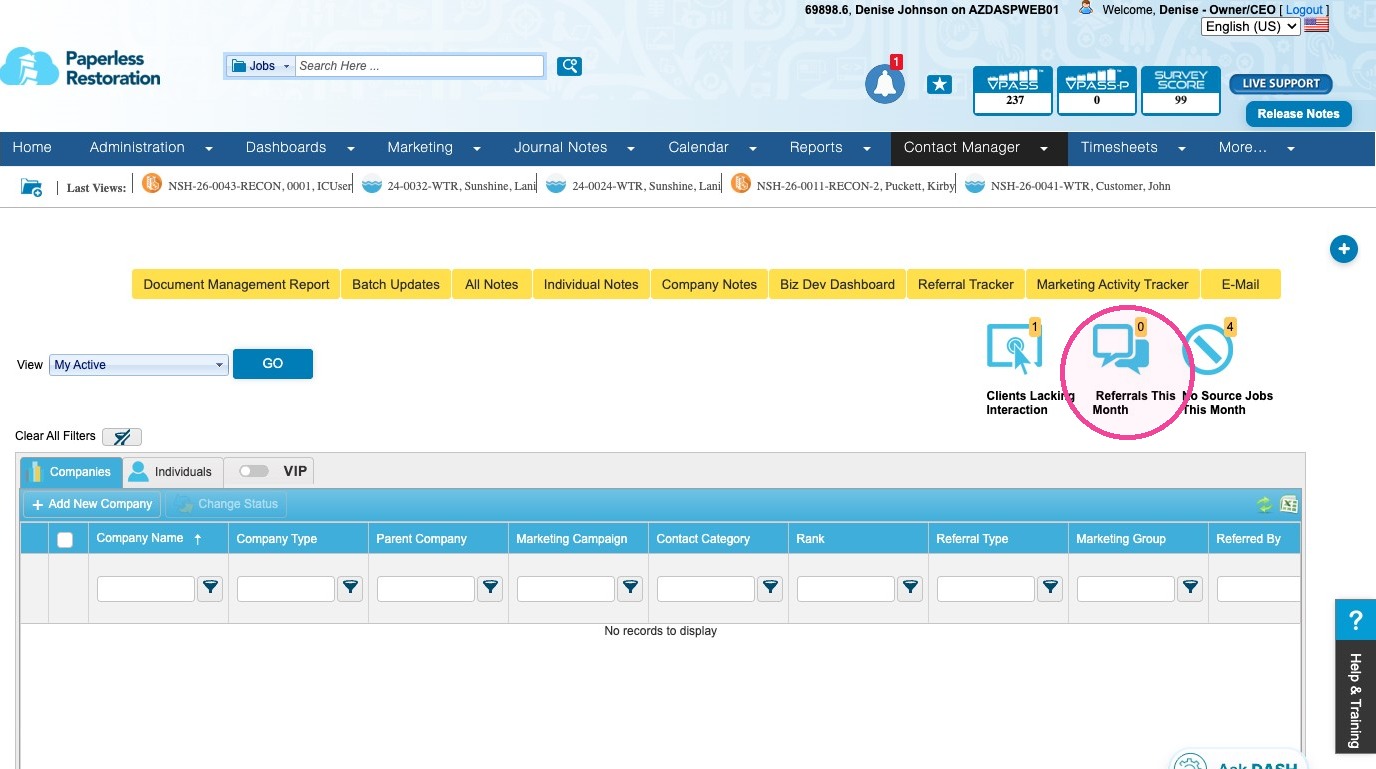
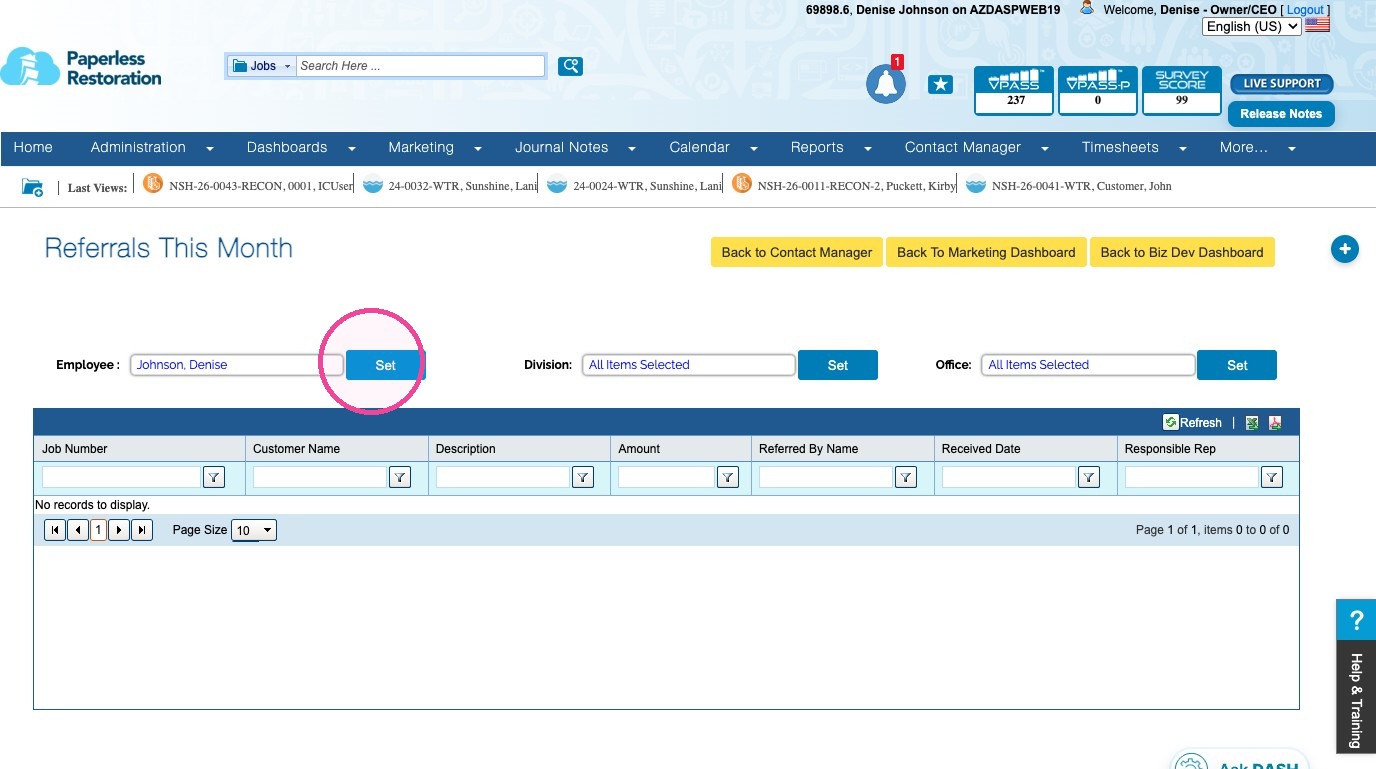
Contact Manager - Referrals This Month Modified on: Thu, 27 Aug, 2026 at 3:07 PM QuestionWhere can I see my referrals this month in DASH™?How can I see my referrals this month in DASH™?What does the "Referrals This Month" report contain?AnswerDASH: Contact Manager - Referrals This MonthTo review your referrals or for the company, follow these steps.1. Click View and select My Active to determine Referrals This Month.If you want to view companywide active or inactive referrals, make the appropriate selection from the View field drow down list.2. Click GO to filter the contact list.3. Click Referrals This Month icon.4. If you want to change the Employee, Division, or Office, click into the appropriate fields and make your selections, then click the Set buttons.Tip: This concludes the process for reviewing and filtering the Referrals This Month report.Questions? Contact Us!