How to I change the ceiling height in my LiDAR scan in Mitigate™?
Why is my ceiling height wrong after my LiDAR scan?
Why am I not seeing ceiling height in my LiDAR scan?
Answer
Mitigate: LiDAR Scanning - Ceiling Height
Mitigate applies a default ceiling height of 8 feet to rooms, but LiDAR scans do not automatically include ceiling heights. Follow this guide for setting ceiling height.
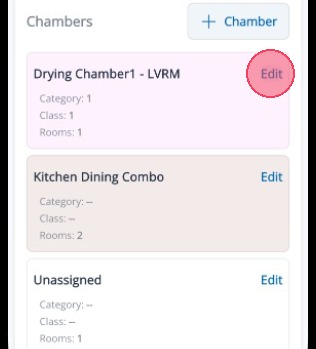
1. Select Edit for the room to set its ceiling height.
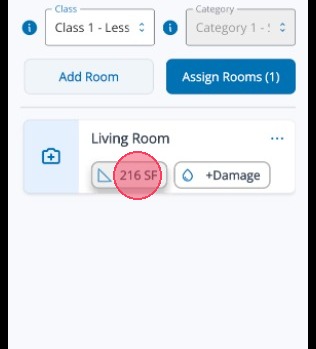
2. Tap the Room Measurements button to enter new dimensions
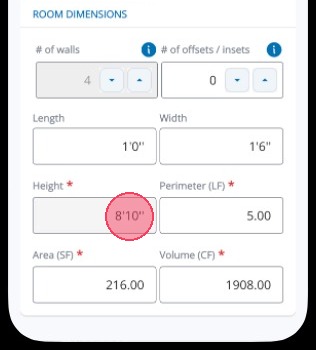
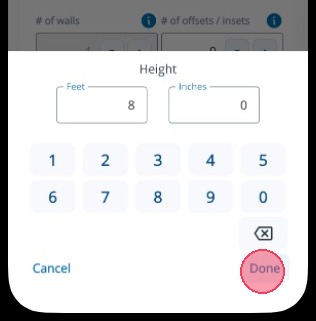
3. Tap into the Height field to edit it.
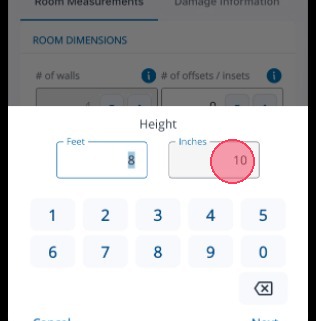
4. Tap into Feet and Inches to make changes.
5. Tap Done to save your changes.
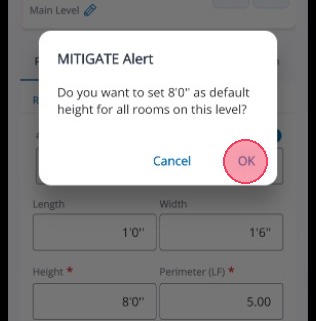
6. Tap OK if you want to apply your changes to all rooms on the same level.
Tip: That concludes the process for updating Ceiling Height in Mitigate.