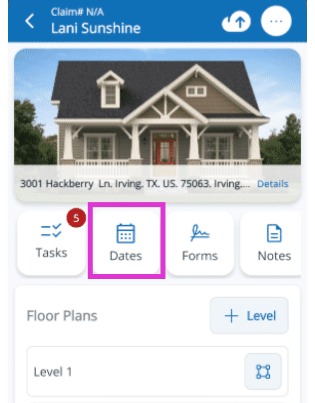
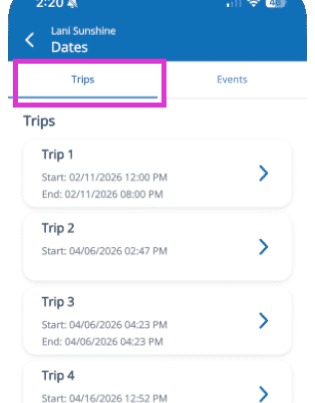
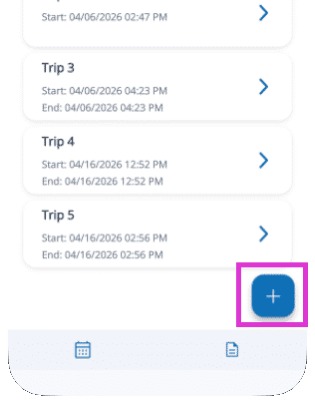
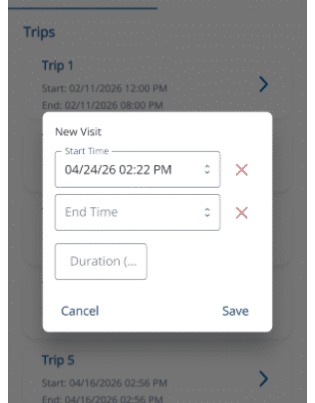
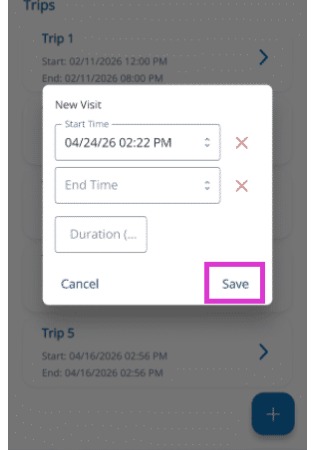
Mitigate: Start a New Trip Entry Modified on: Thu, 4 Jun, 2026 at 6:46 PM QuestionHow do I start a new trip in Mitigate™?Where do I log trips in Mitigate™?How do I save trips in Mitigate™?AnswerMitigate™: Start a New Trip EntryFollow these simple steps to log your visit and ensure accurate records in the Mitigate app.1. Go to the Dates tab in the Mitigate app to begin logging your trip.2. Ensure the Trips tab is active. If not, select the Trips tab to proceed.3. Tap the Blue Plus Sign icon in the bottom right to add a new trip.4. The current date and time will populate. You can leave the date and time or edit it.5. Tap Save to finalize and confirm the trip is recorded.Tip: This concludes the process for adding a new trip entry.Questions? Contact Us!