
Question
- Can I copy notes from one job to another in DASH™ ?
- Can I merge notes from one job to another in DASH?
Before You Begin
- Copy Direction: Start the process from the originator job (the source of the data). You will then select the destination job where the dates should be applied.
- To use the Copy Notes feature, you must have the appropriate security permissionsenabled:
- Navigate to Administration > Employee/Security Settings > Security (or Group Security).
- Select the specific User or Group title from the top-right corner.
- Expand the Other security section.
- Expand Copy Jobs.
- Select the checkboxes for the applicable use cases.
Copying Dates
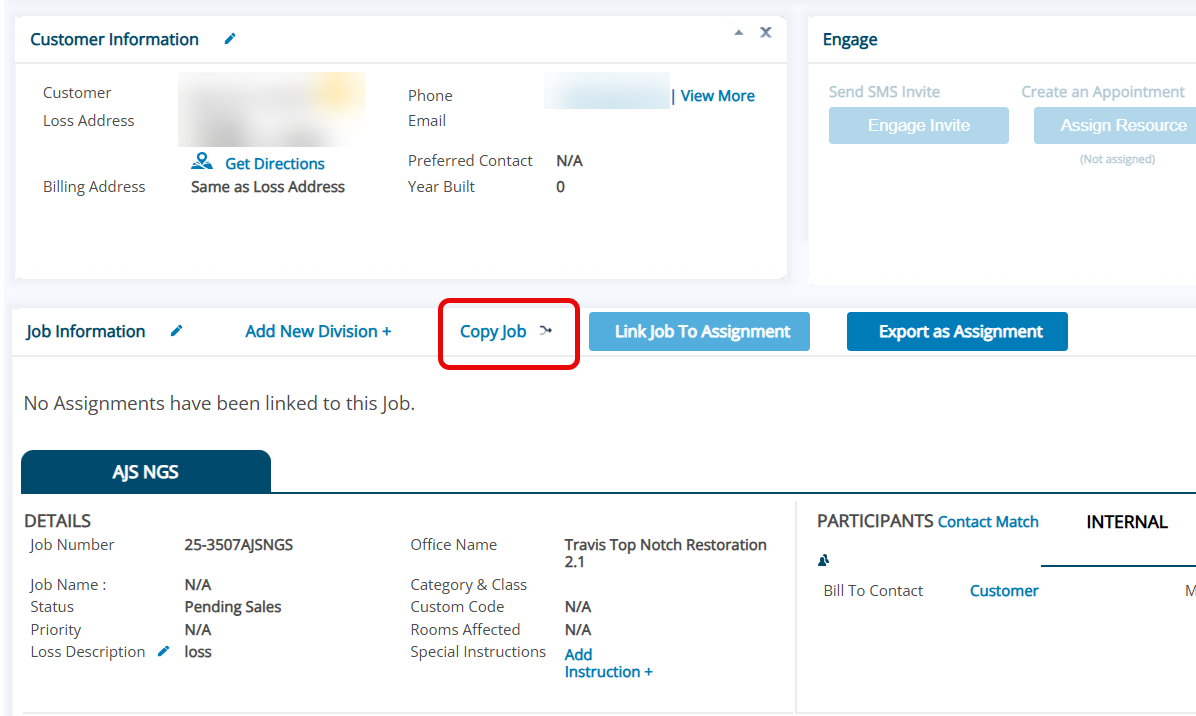
- Select Copy Job button on the job you intend to copy job information from.
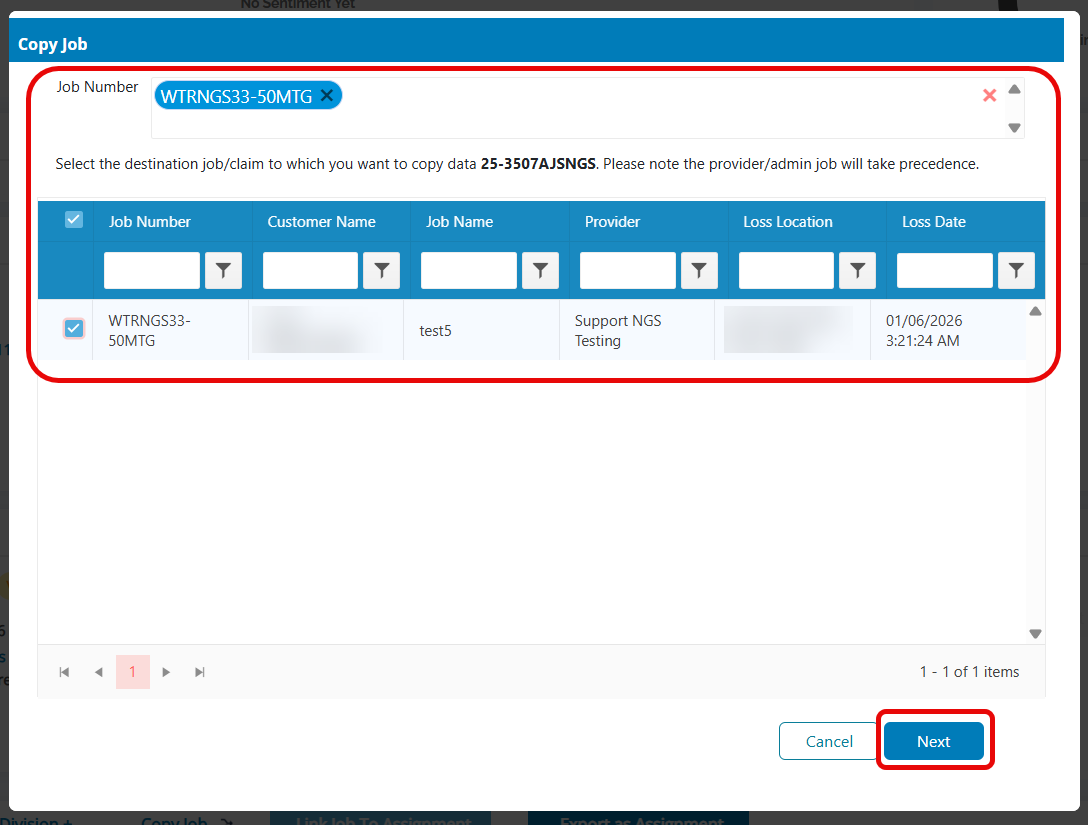
- Using available filters and the search bar, search for the job where you will copy the information too.
- Select the checkbox next to the job and hit Next
- Select the Notes tab. Check the notes you want to copy to the destination job or select all notes.
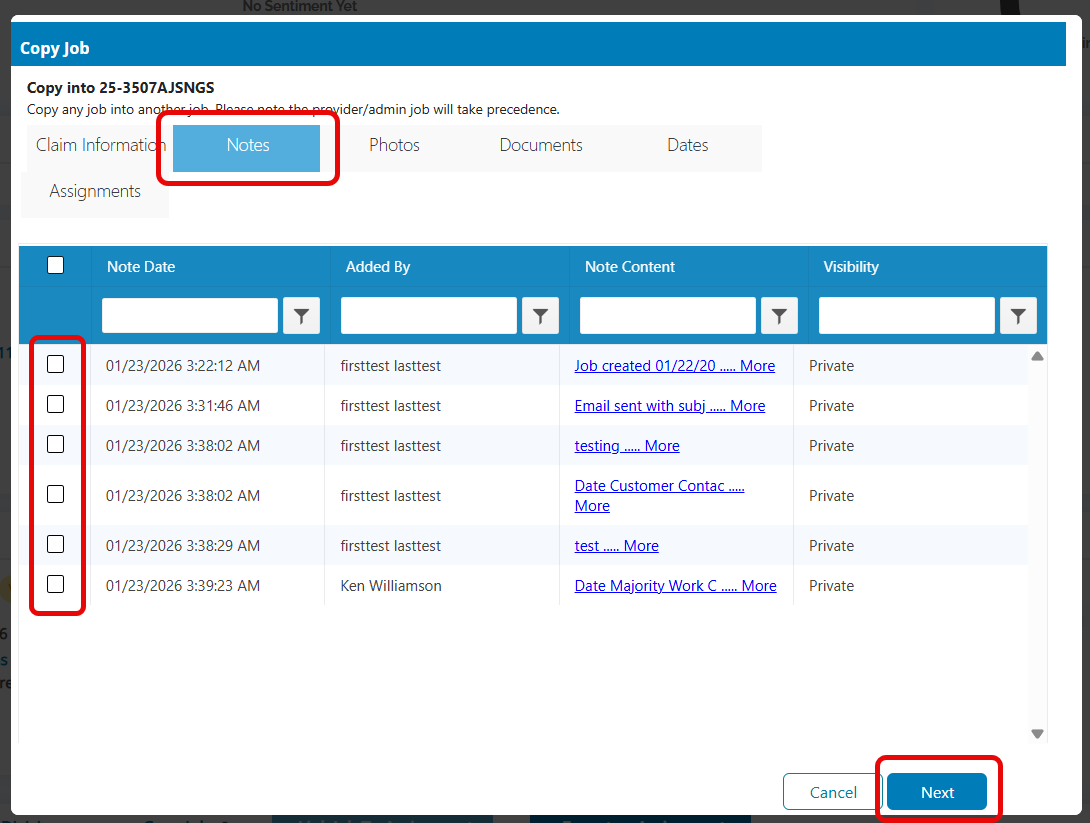
- Click Next to copy the notes over
Questions? Contact Us!