
Overview
Restoration CRM™ has support for Parent Companies, bringing it in line with DASH’s™ handling of the same field.
Any information that you had previously gathered in the Parent Company field in DASH prior to the week of 5/4/2026 should already be available in your CRM. There is nothing that you need to do to activate the Parent Company feature in CRM.
Adding a Parent Company
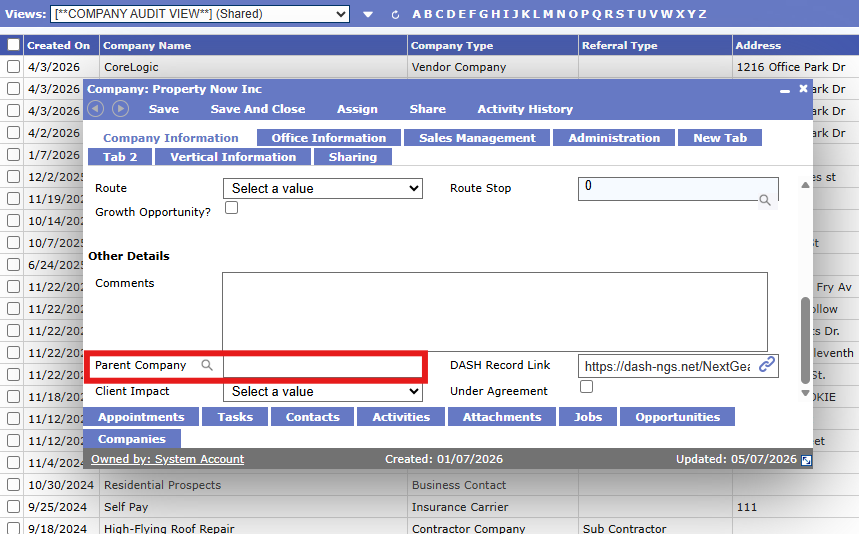
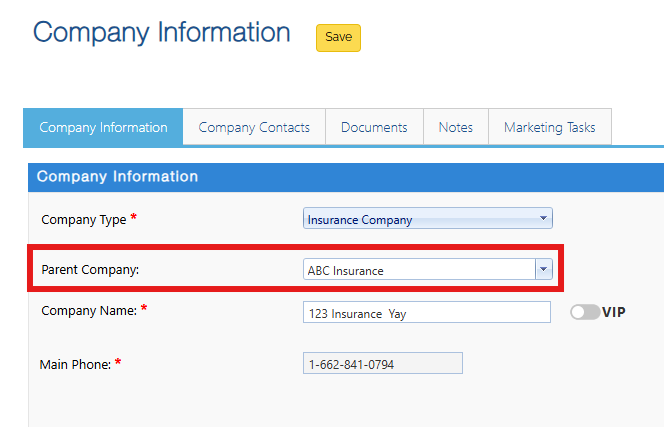
To add a Parent Company, in CRM, you can select a Company and then, on their details page, find the Parent Company field:
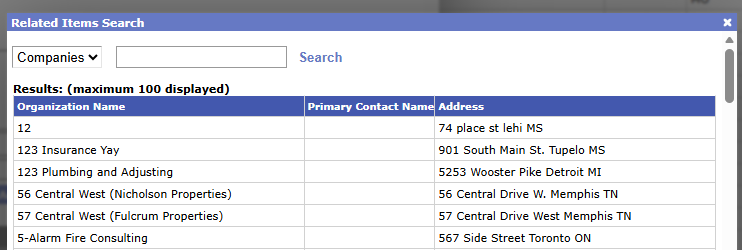
By selecting the Magnifying Glass icon next to the words Parent Company, you’ll be brought into the Company selection screen. You can either type in a word to search (by Company) or hit search immediately to be shown all Companies as an option:
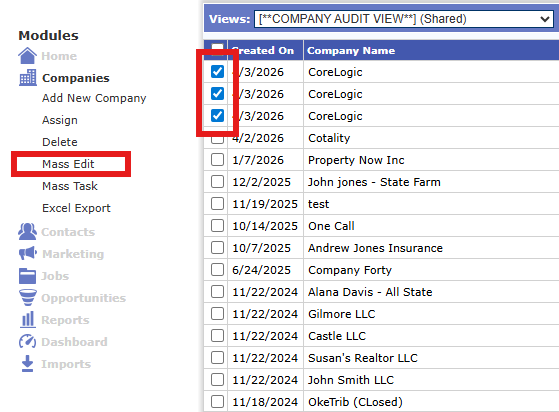
Alternatively, you can mass select Companies and use the Mass Edit functionality:
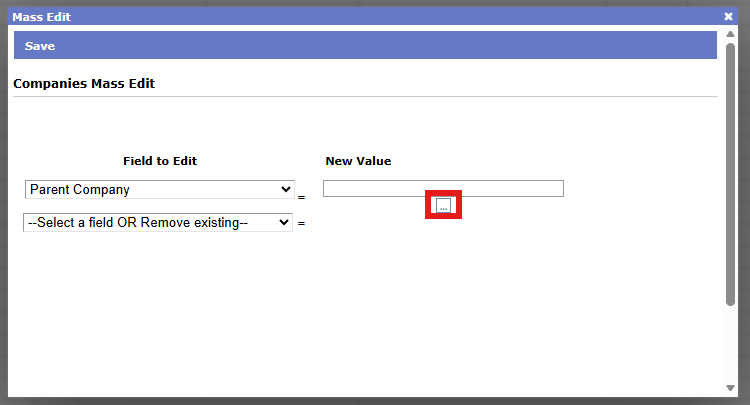
Then select Parent Company and the (…) search button to also select from the Companies list:
Since this is a DASH-syncing field, you can also add a Parent Company from DASH while editing a Company in the Contact Manager area:
Questions? Contact Us
This article is meant to serve as a reference only and is not a substitute for training. If you are interested, feel free to check out our weekly Q&A sessions hosted by our CRM experts.