
Question
- Can I make a customer or contact a VIP in DASH™ ?
- How do I make a customer a VIP in DASH?
- How do I make a contact a VIP in DASH?
- How do I note a customer is important in DASH?
- How to flag / tag a contact as important?
Marking a Contact VIP
Restoration DASH™ allows you to flag specific individuals or companies as VIPs during job creation or within the Contact Manager.
Individual Contacts
- Open the Contact Manager
- Select Add Individual to create a new contact, or select an existing contact to Edit.
- Locate the VIP toggle next to the individual's name and toggle it on to enable.
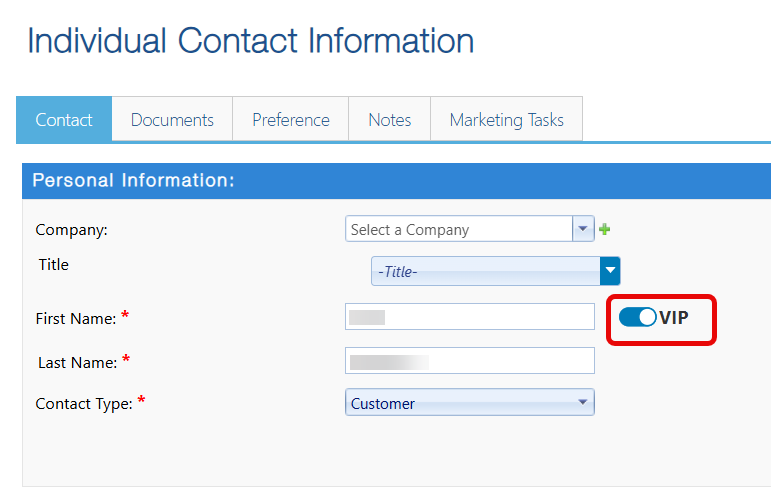
- Click Save to confirm changes
Company Contacts
- Open the Contact Manager
- Select Add Company to create a new contact, or select an existing contact to Edit.
- Locate the VIP toggle next to the individual's name and toggle it on to enable.
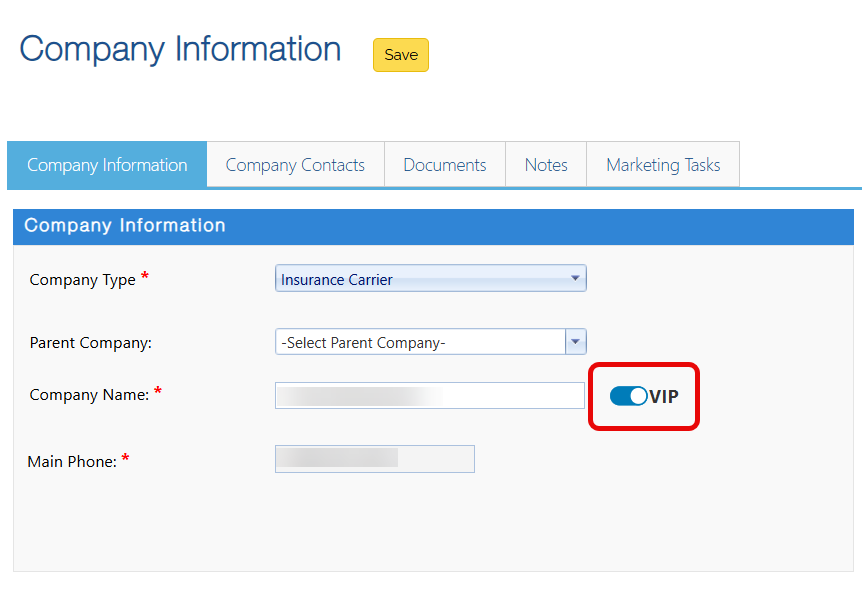
- Click Save to confirm changes
Questions? Contact Us!