How do I see jobs without a referral source in the contact manager in DASH™?
Where can I see jobs without a referral in DASH™?
Answer
DASH: Contact Manager - No Source Jobs This Month
This guide demonstrates how to navigate the Contact Manager in DASH to locate jobs with no Referred by source entered. Following these steps ensures your job files are correctly categorized and assigned for accurate tracking and management.
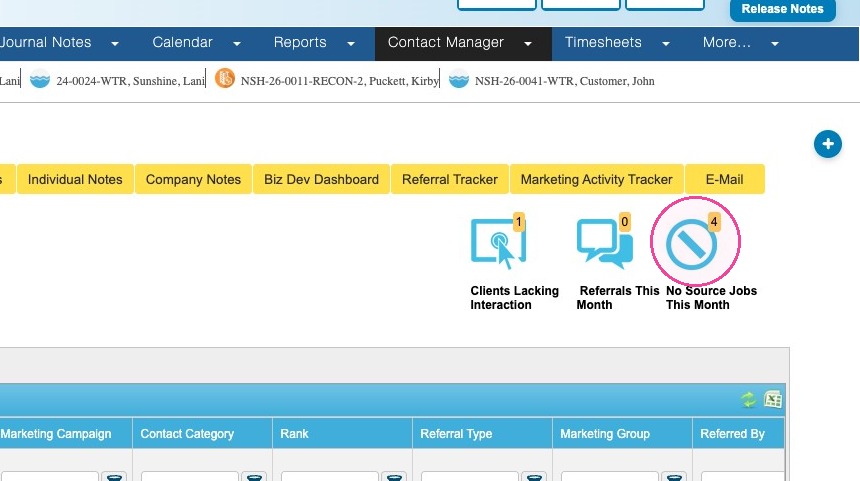
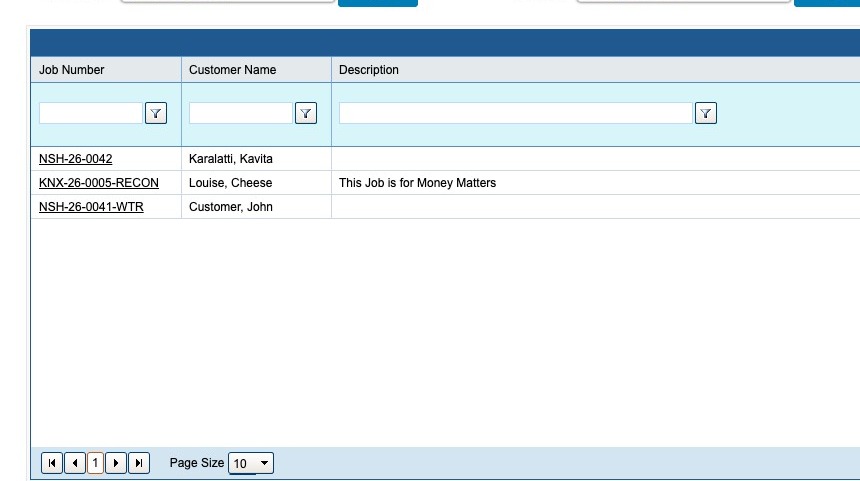
1. Click the No Source Jobs This Month icon.
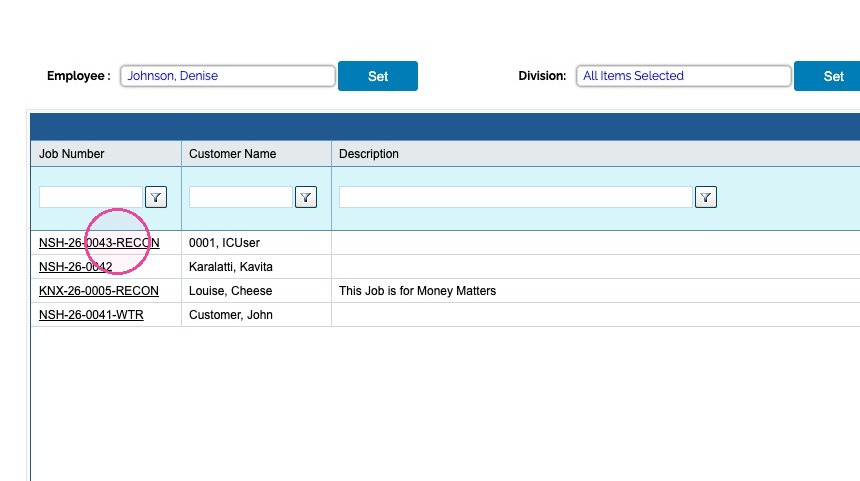
2. Select a job by clicking the Job Number hyperlink.
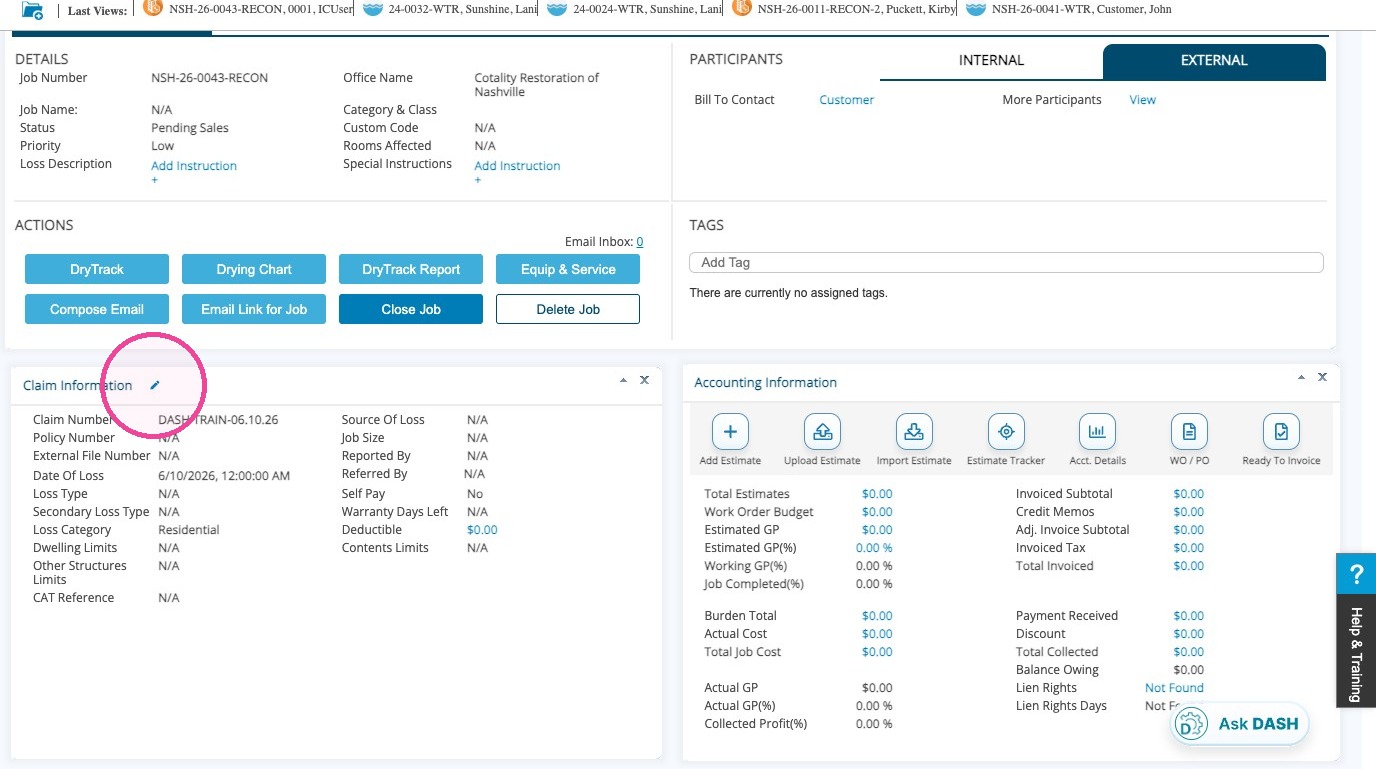
3. This takes you to the Job Slideboard.
Click the EditPencil icon for Claim Information quadrant.
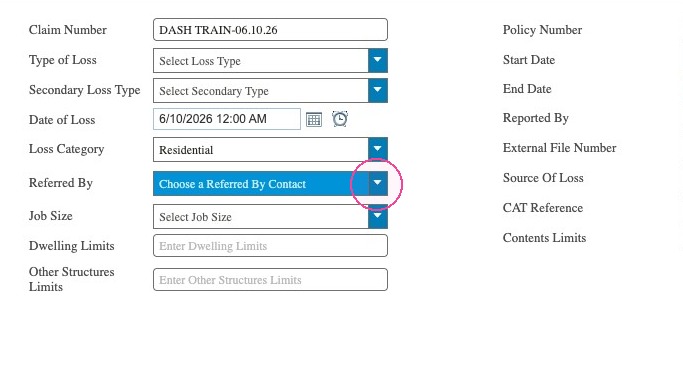
4. Select a Contact for the Referred By field.
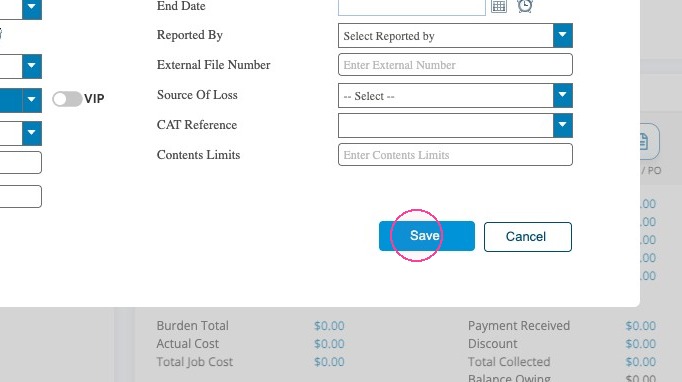
5. Click Save.
6. You can navigate back to the No Source Job report to verify that your correction removed the job from the report.
Tip: This concludes the process for entering a referral source for No Source Jobs This Month.