
Question
- How to manage which Activity Types are included in the "# of Days Since Last Face-to-Face"
- How to make an activity count as a face-to-face interaction / activity
- How to remove an activity from the face-to-face activity metric
Answer
Disclaimer
This area of CRM™ is restricted by Admin access. If you do not have access to the Admin area of CRM, please reach out to your administrator for further assistance.
- Select your username in the top right-hand corner of the screen
- Select Admin Settings
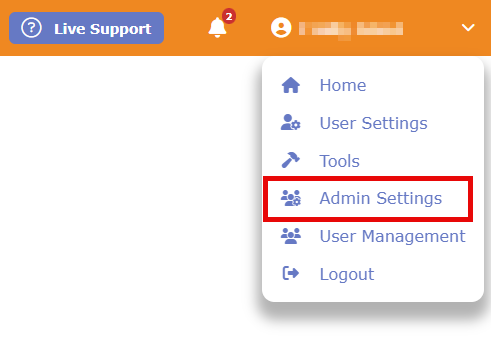
- Select Activity Settings
- Select Activity Types Included In # of Days Since Last Face to Face (Contacts)
- Check the boxes for any Activity Type that represents an in-person interaction.
- Example: You should check activities like "Lunch" or "On-Site Meeting."
- Example: You should leave activities like "Email" or "Phone Call" unchecked so they do not artificially inflate your face-to-face metrics.
- Add Missing Activities (If Needed): If you want to track a new type of in-person meeting (e.g., "Coffee Meeting"), you must first create it in the Activity Types & KPI Management area before it will appear on this list to be selected.
Questions? Contact Us
This article is meant to serve as a reference only and is not a substitute for training. If you are interested, feel free to check out our weekly Q&A sessions hosted by our CRM experts.