
Question
- How to integrate DASH with DHA Vendor
- Integrating DASH with Company Cam
Answer
Integrate DASH with DHA Vendors
Alert: You must have the proper security permissions enabled in order to configure DHA Vendor Integrations.
Administration > Employee / Security Settings > Security
On the Security screen, navigate to and enable:
Administration > Company Settings > DHA Vendor Integrations
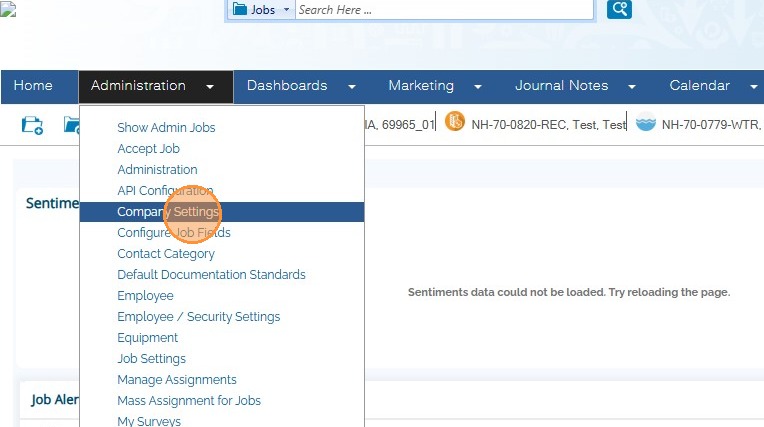
1. In the Administration menu, navigate to Company Settings.
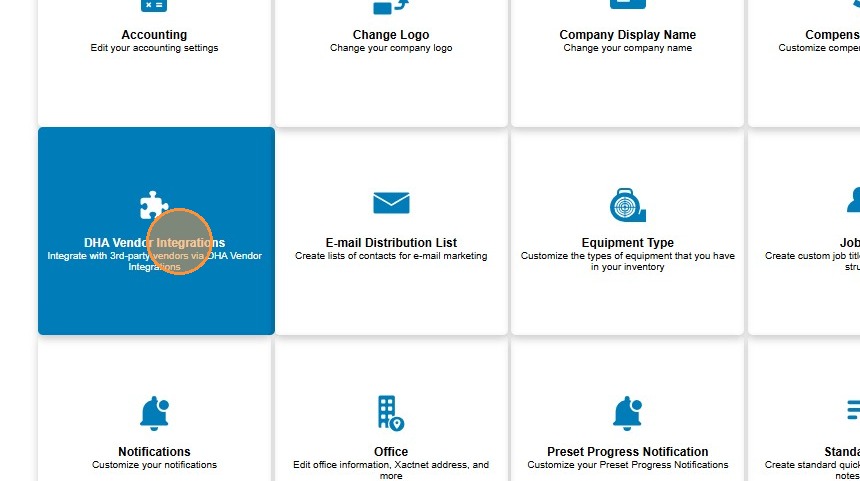
2. Click DHA Vendor Integrations.
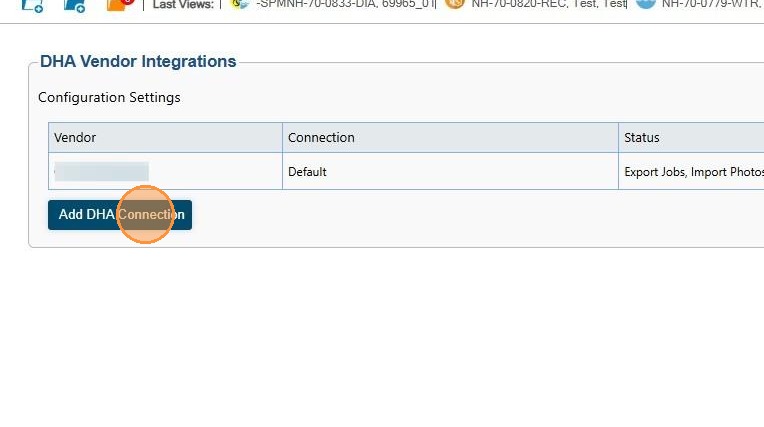
3. Click Add DHA Connection.
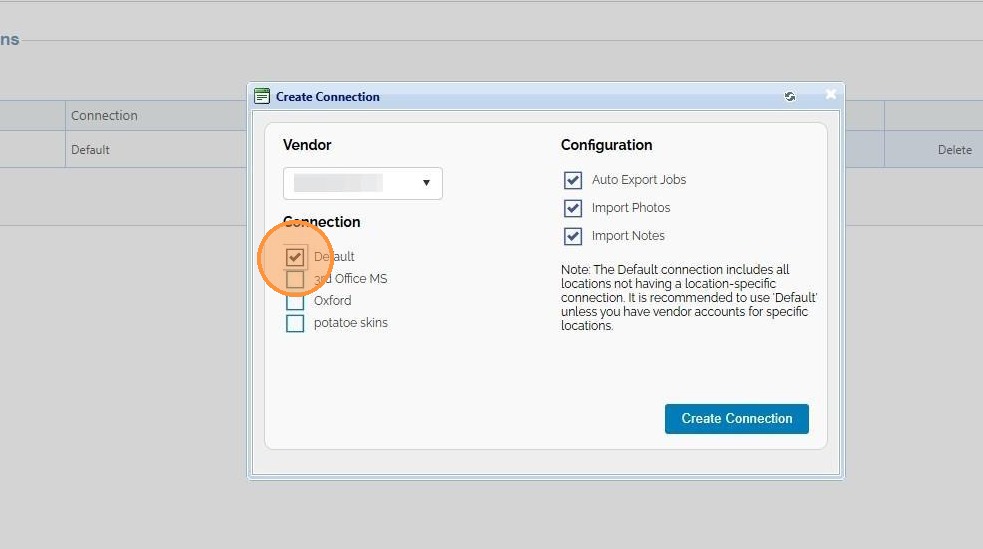
4. Select a vendor from the drop down list.
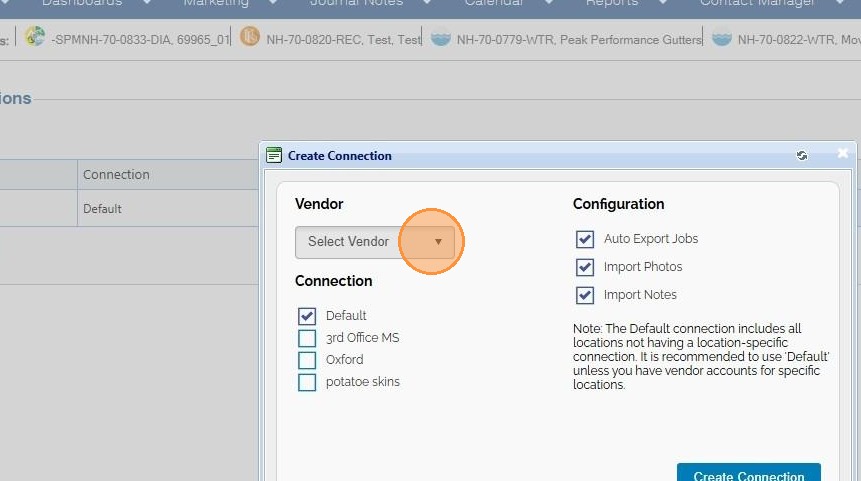
5. Choose which locations you want connected to the vendor account.
Default is recommended unless you need specific locations omitted or connected to a different account.
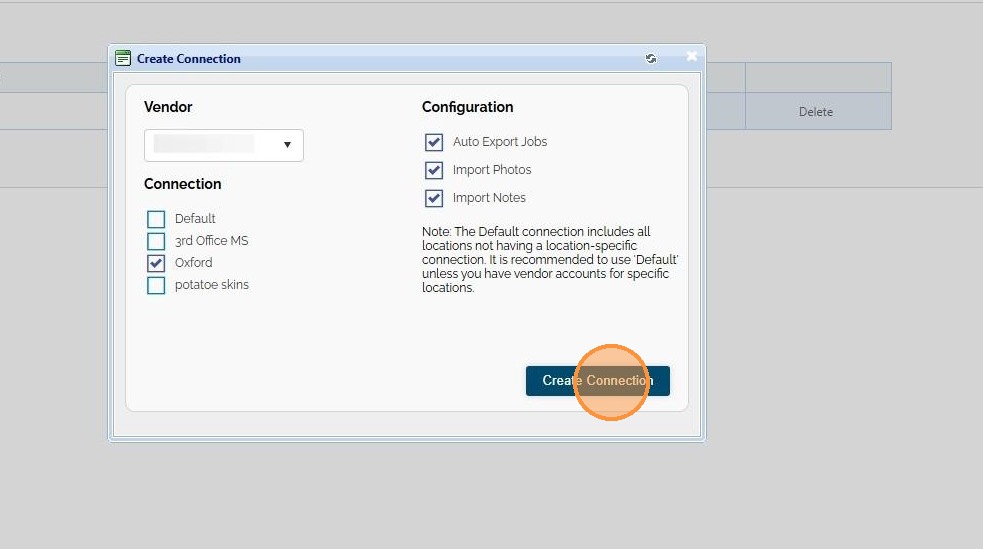
6. Click Create Connection.
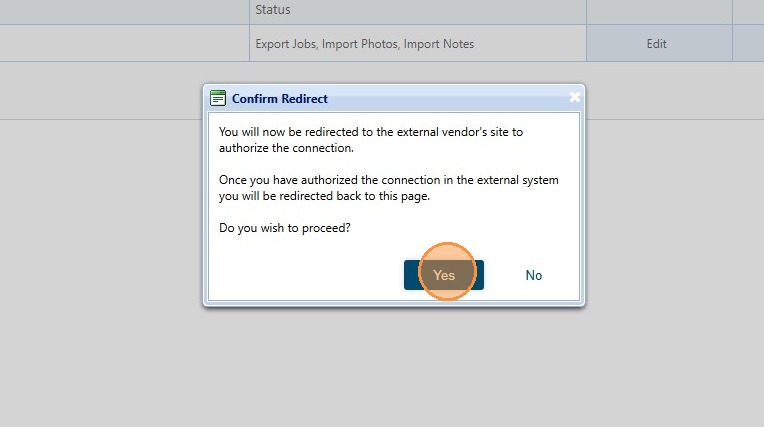
7. You will be redirected to the vendor site to authorize the connection. Click Yes.
8. Once authorized, you will be redirected to DASH and will see your new integration. From here you can Edit or Delete it.
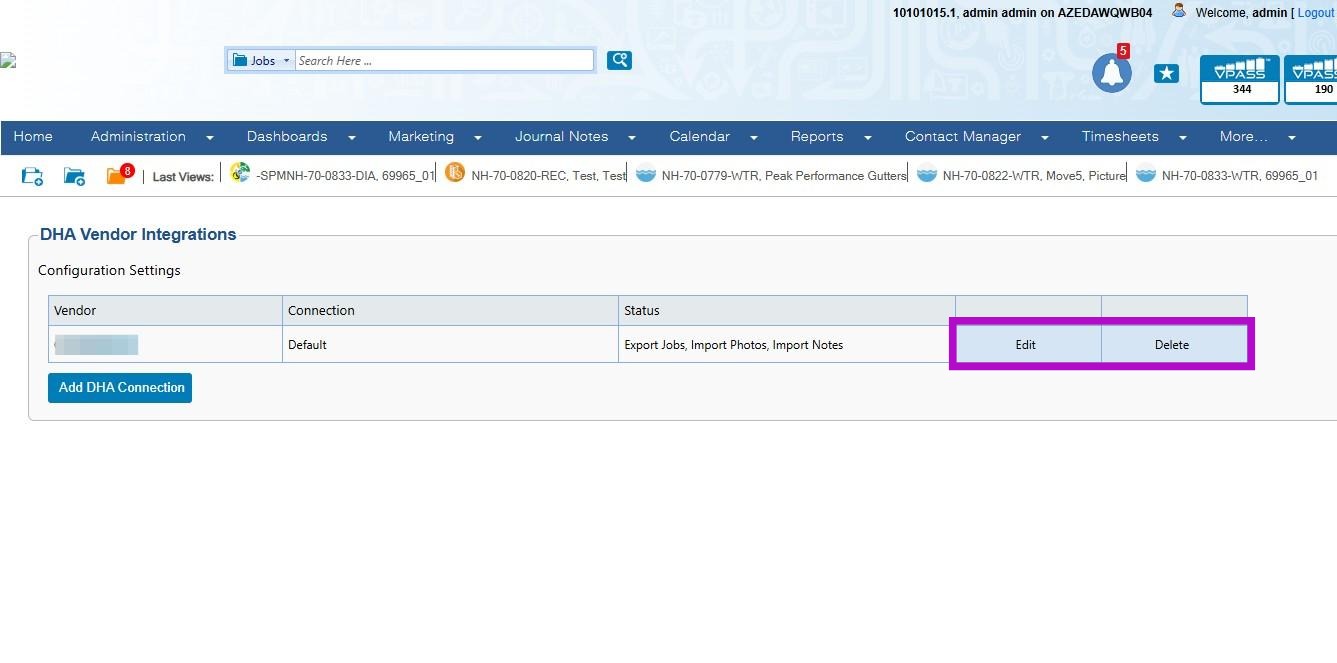
Alert: This concludes the process for setting up a DHA vendor integration in DASH.
Questions? Contact Us!