
Question
- Why is my contact manager blank in Dash™?
- What security do I need to view contacts in Dash?
Answer
If you navigate to the Contact Manager in DASH and do not see any contacts, or very few contacts, it's likely you're missing the "View Contact Status" security. This security is required to view ALL contacts in your environment, not just the ones you are listed as a responsible rep for. To grant access to this security:
- Hover over Administration and click on Employee/Security Settings.
- Click Security or Group Security. Select the employee's name (or title) in the upper-right hand corner.
- Expand the "Contact Manager" section and check "View Contact Status"
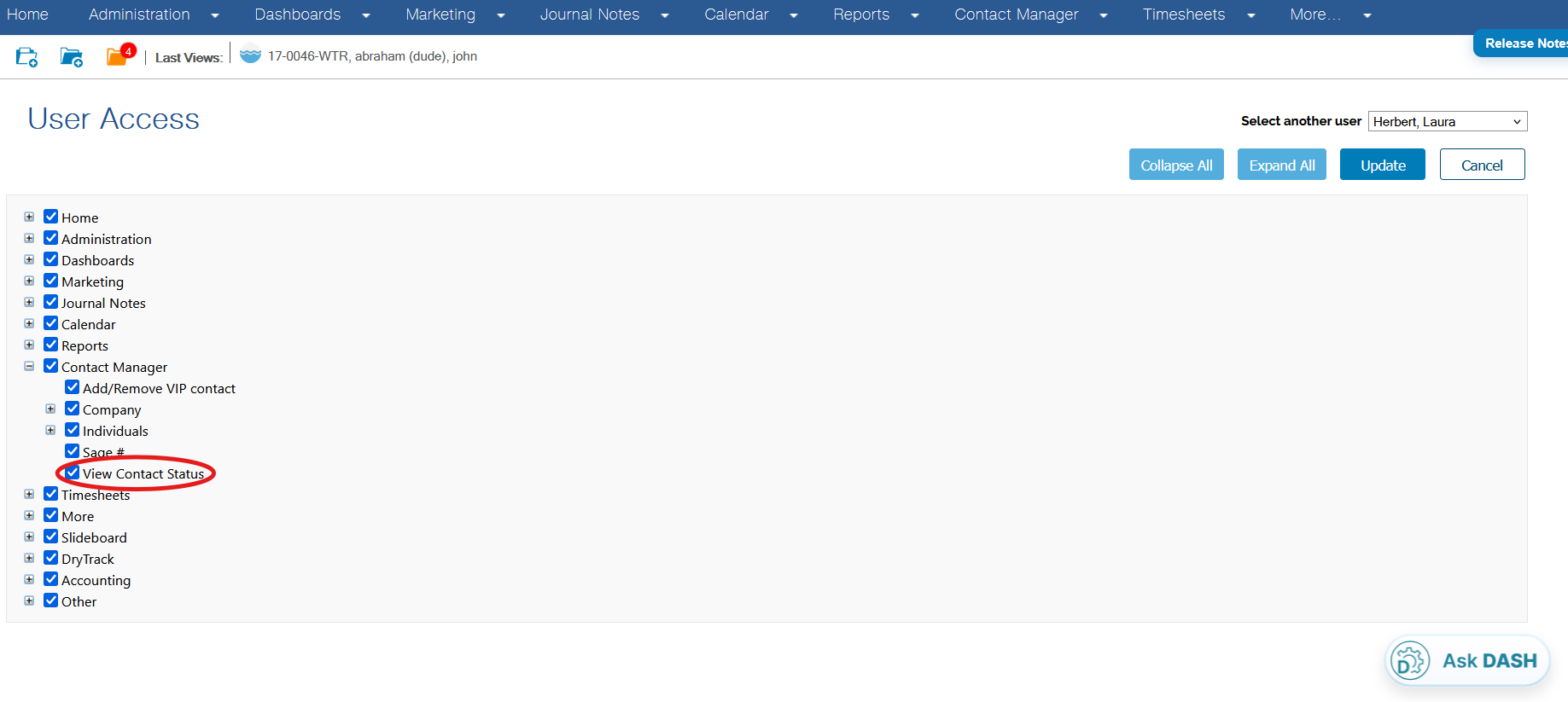
- Click "Update" in the upper right corner.
Once you log out of DASH and log back in, you should be able to view all contacts in DASH. If you follow the above steps and still don't see your contacts, please reach out to our support team!
Questions? Contact Us!