Logging milestones is essential for maintaining organized project timelines and ensuring smooth workflows. Follow these steps to log milestones accurately.
1. Start with the Dates Tab
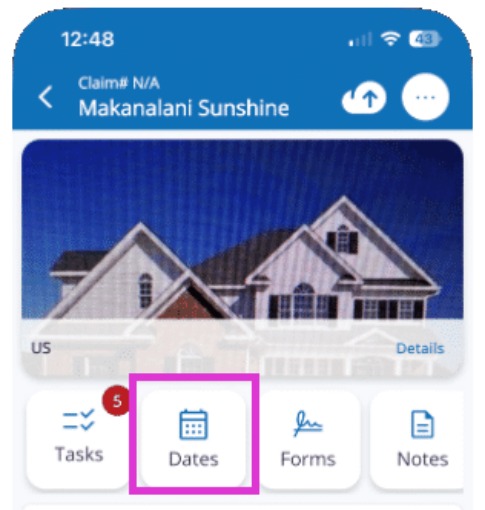
Tap on the Dates tab from your job summary screen.
2. Access Events Tab
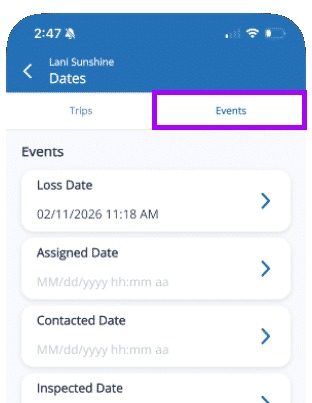
Go to the Events tab.
The Events tab is where you can manage and log key milestones for your project.
3. Select Relevant Event Type
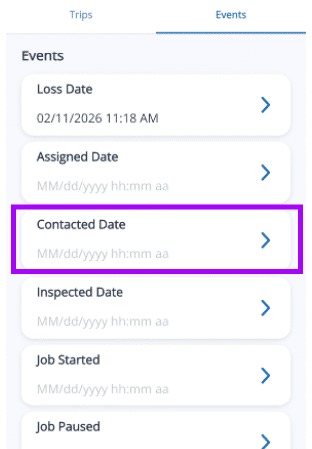
Choose the event that matches the milestone, such as 'Contacted Date' or 'Inspection Completed.' You may need to scroll through the options.
Picking the correct event ensures your data aligns with system requirements.
4. Enter the Date
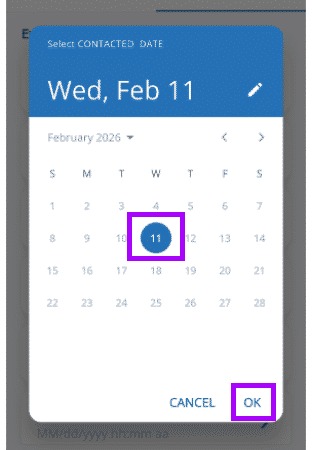
The date displayed defaults to the current date. Choose a different one if needed. Tap OK.
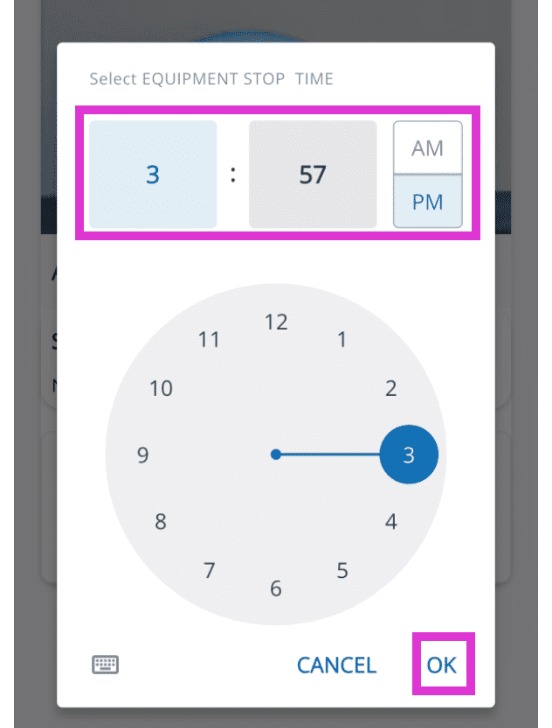
5. Enter the Time
The default time is the currenttime. Adjust the time using your device's keyboard and tap OK.
Tip: That concludes the process for logging milestone events in Mitigate.