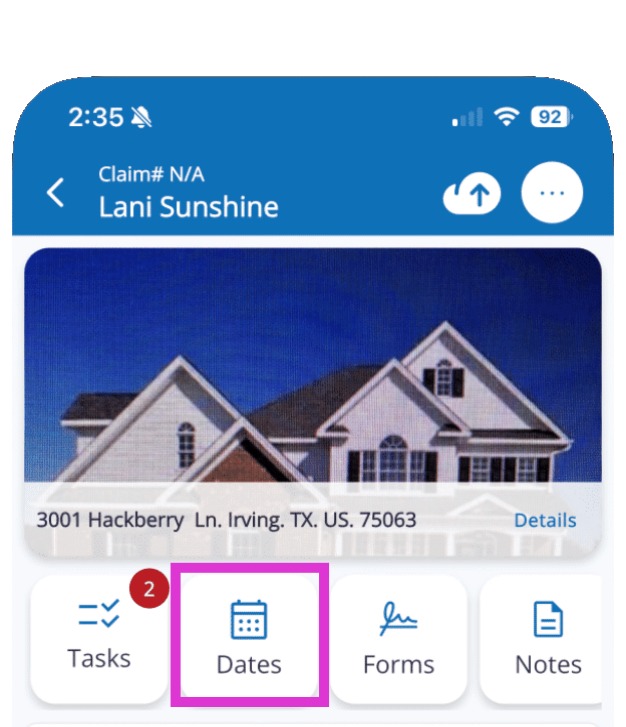
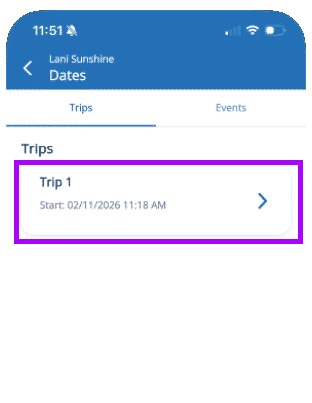
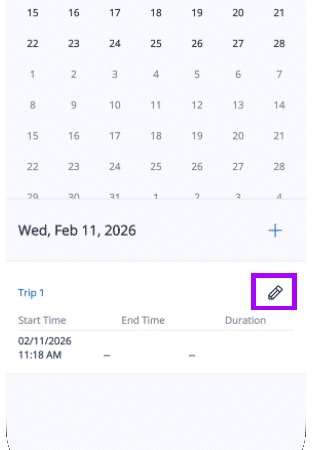
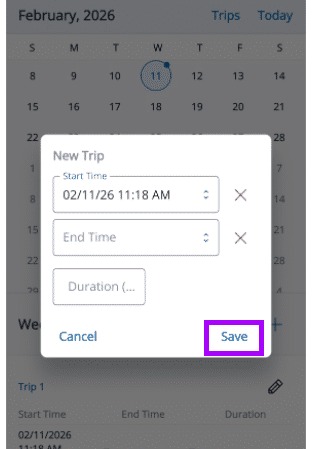
Mitigate: Editing Trip Details Modified on: Fri, 5 Jun, 2026 at 11:01 AM QuestionHow do I make changes to a trip in Mitigate™?Can you edit a trip in Mitigate?AnswerQuestions? Contact Us!Mitigate: Editing Trip DetailsEditing trip details is simple and ensures your records stay accurate. Follow these steps to make quick updates.1. Tap the Dates TabOpen the app and locate the Dates tab.Tap it to view your list of trips.2. Select the Desired TripScroll through the list of trips.Tap the trip you want to edit.3. Tap the Pencil IconTap the Pencil icon to enable editing.4. Edit and Save ChangesMake the necessary updates.Tap Save to finalize changes.Tip: That concludes the process for editing trip details in Mitigate.Questions? Contact Us!