
Question
- How do I use MFA for Mitigate?
- How do I log into Mitigate?
Answer
Questions? Contact Us!
MFA for Mitigate
Logging in with MFA
Alert: If you do not already have an authenticator application downloaded and set up for this product, please review this guide.
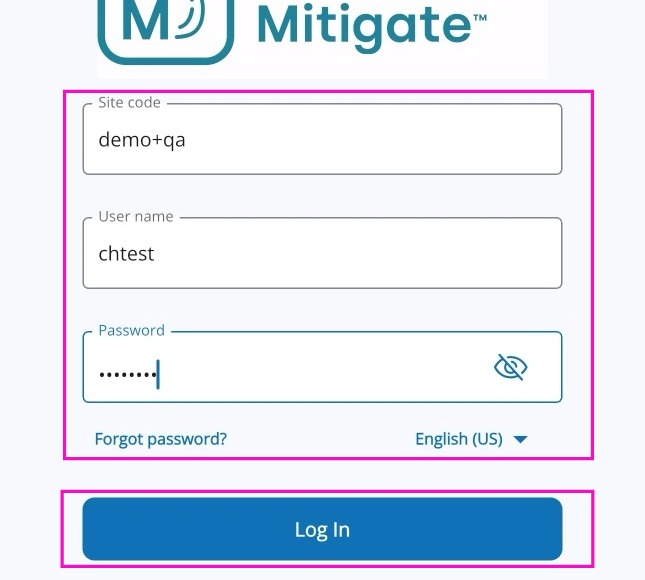
1. Log into Mitigate using your username and password.
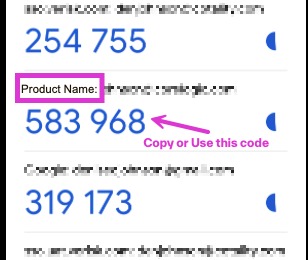
2. Using your authenticator application, obtain the 6 digit code. Note: Your code will not be the same as the ones displayed below. These codes refresh every few seconds.
3. Enter the 6 digit code in the entry field for this application and click Submit.
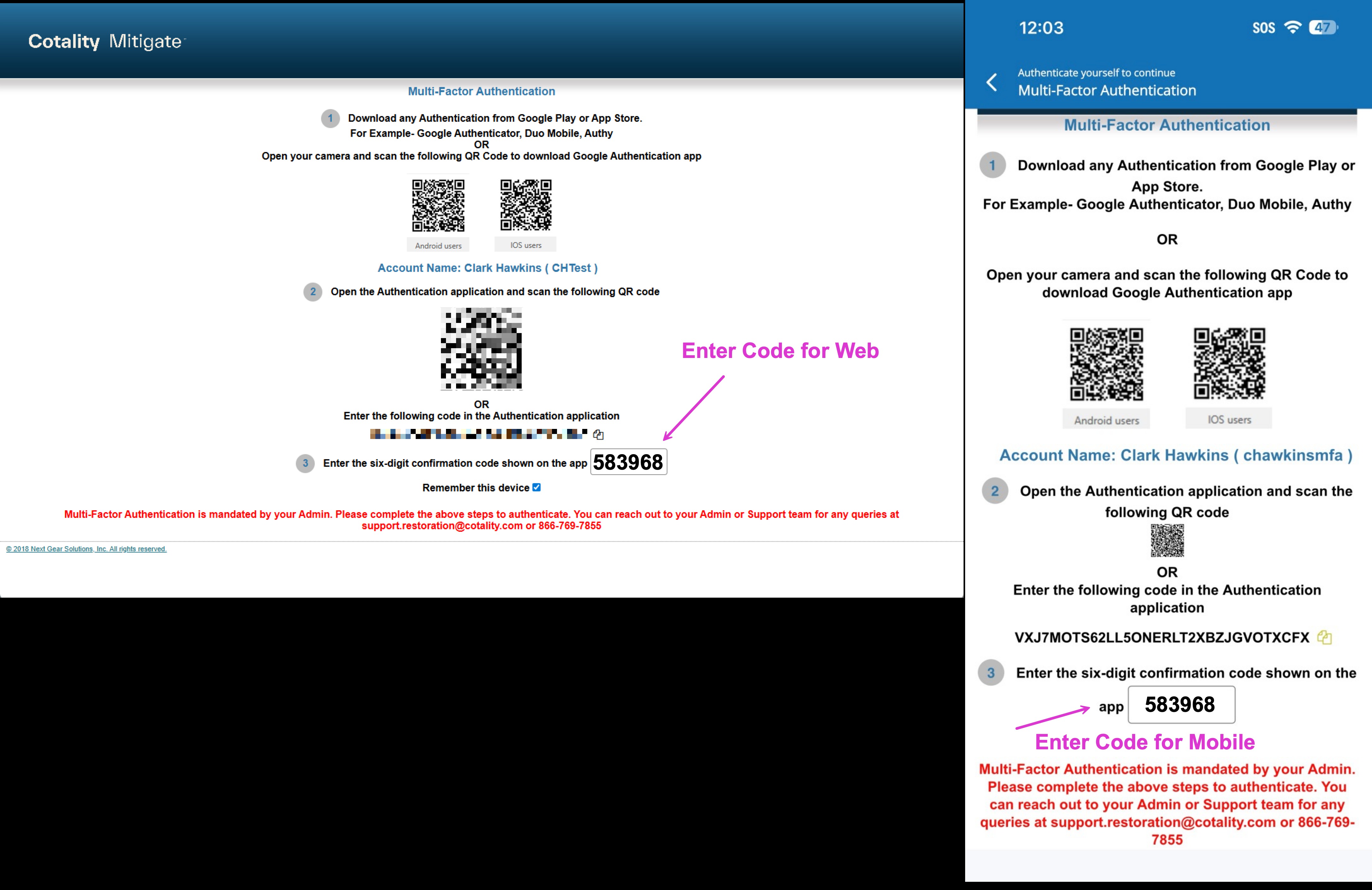
Alert: The next time you log in, you will not see the QR code. Open the authenticator app and enter the code that displays for this product and click submit again.
Implementing MFA
4. As a Franchisor, you can require MFA for all locations in your Mitigate environment. To do this, reach out to Cotality™ support.
As an individual location, you can require MFA for all users in your Mitigate account. Follow the steps below to enable the MFA requirement for your location.
5. Log into your Mitigate (MICA) web account.
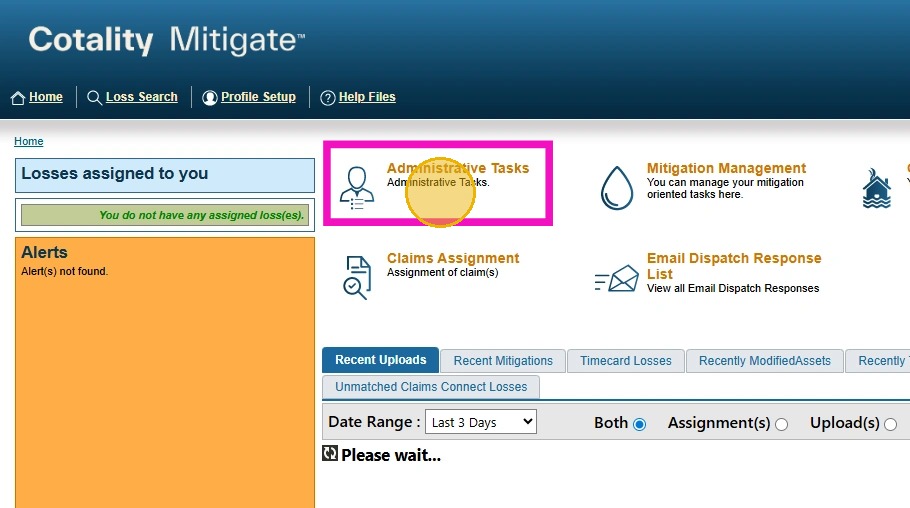
Select Administrative Tasks.
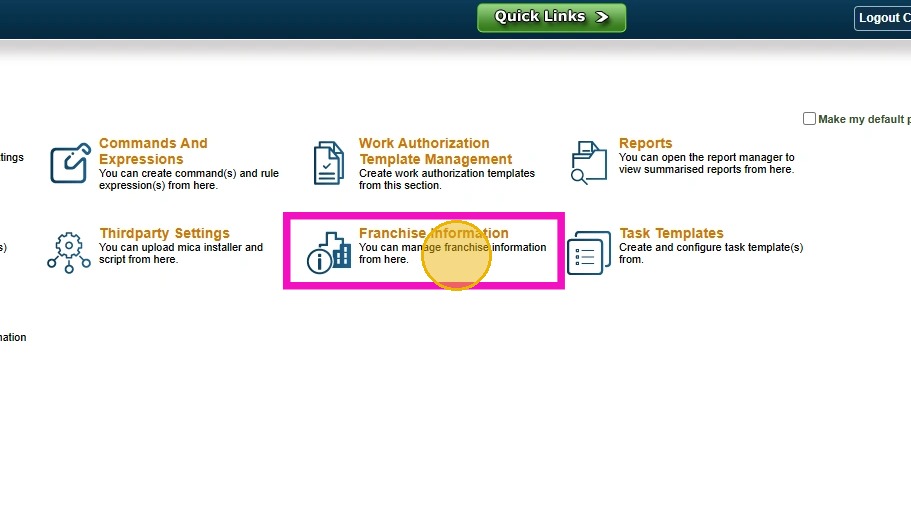
6. Select Franchise Information.
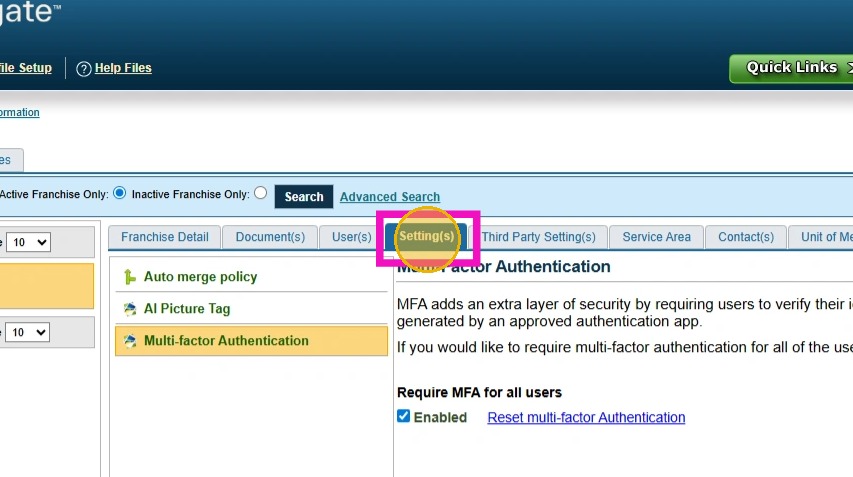
7. Click the Settings tab.
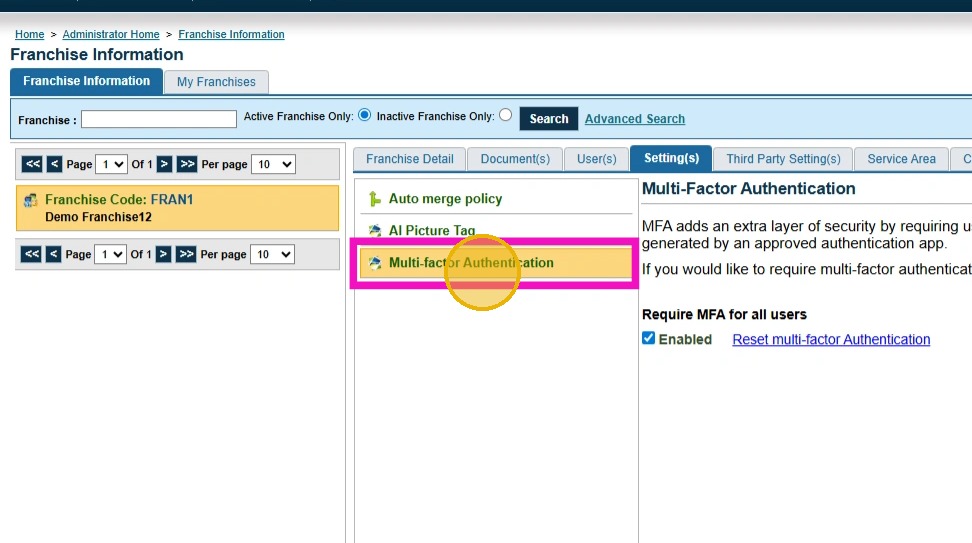
8. Choose Multi-factor Authentication from the menu on the left.
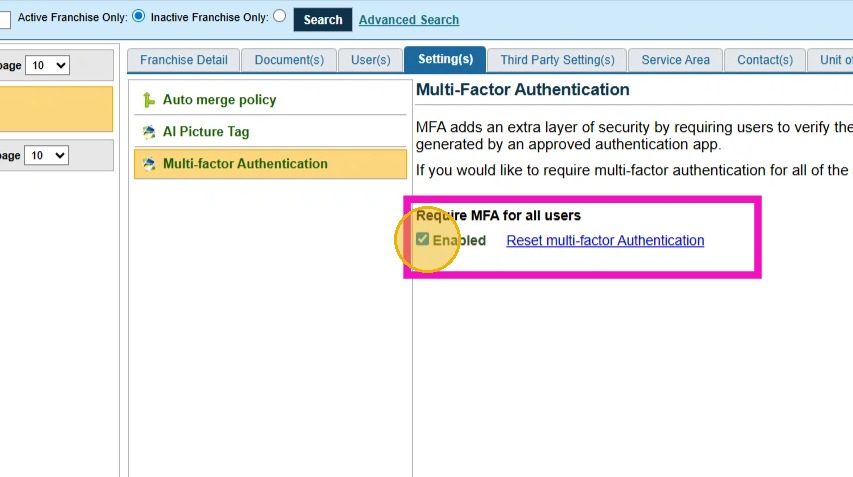
9. Check the Enable box to enable MFA for all users in your location.
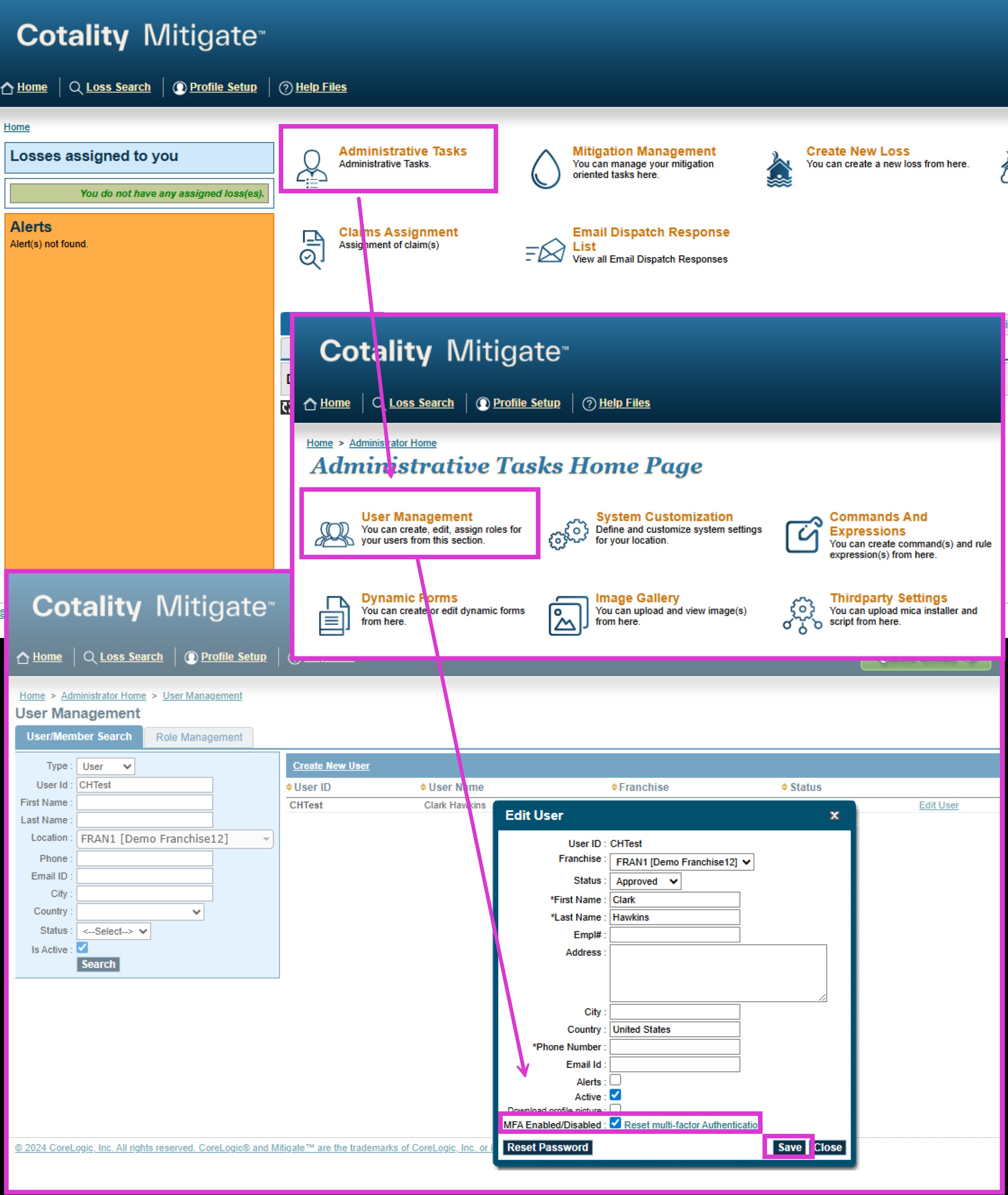
10. As an individual user, MFA can be implemented by navigating to the Administrative Tasks page and choosing User Management. Locate your user ID and click Edit User and check the box at the bottom to enable MFA for that user. Click Save.
Tip: This concludes the MFA workflow for this application.
For questions or support, please contact Cotality support at support.restoration@cotality.com.
Questions? Contact Us!