
Question
- How to edit an existing room's name in Mitigate™ mobile?
- How to edit a room's size?
Answer
Follow the steps below to resize a room and edit it's name:
- While you are in the floor plan, locate Room options at the bottom of the screen.
- The following options are found under the Canvas: 1) Room Renaming 2) Copy 3) Wall Angles 4) Rotate 5) Delete
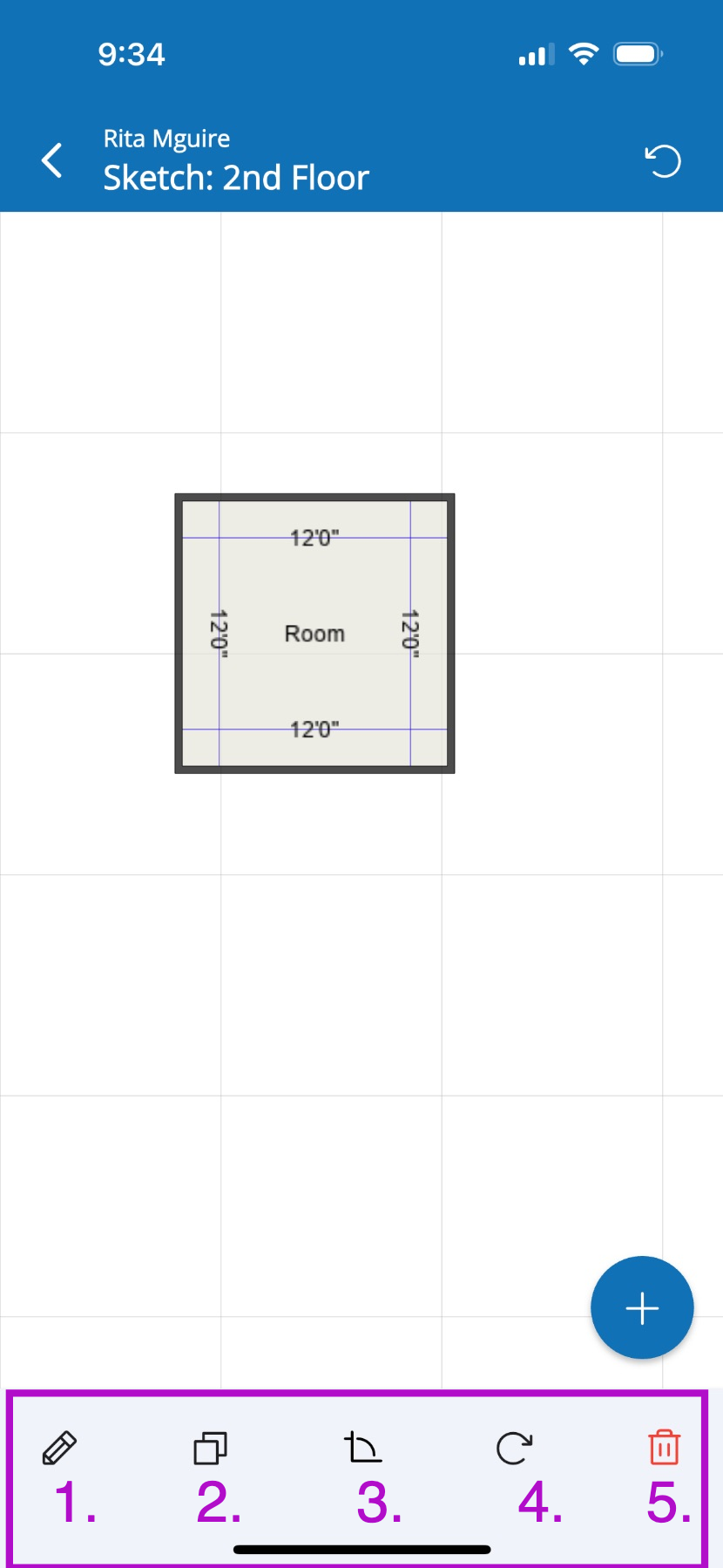
- Touch and drag any wall to Edit dimensions for the room.
- Repeat the same steps with the other walls if those Dimensions need to be increased or decreased.
- Rename the room by tapping on the pencil icon found at the bottom.
- Tap the text field where you see Room's current name
- Enter the new room name and tap Save.