
Question
- Can my checklist in DASH™ automatically calculate things?
- Can I use formulas in my checklist?
- How do I use formulas or calculations in my checklist in DASH™?
Answer
- Navigate to Checklists by hovering over More and clicking Manage Checklists. Open or create a new checklist.
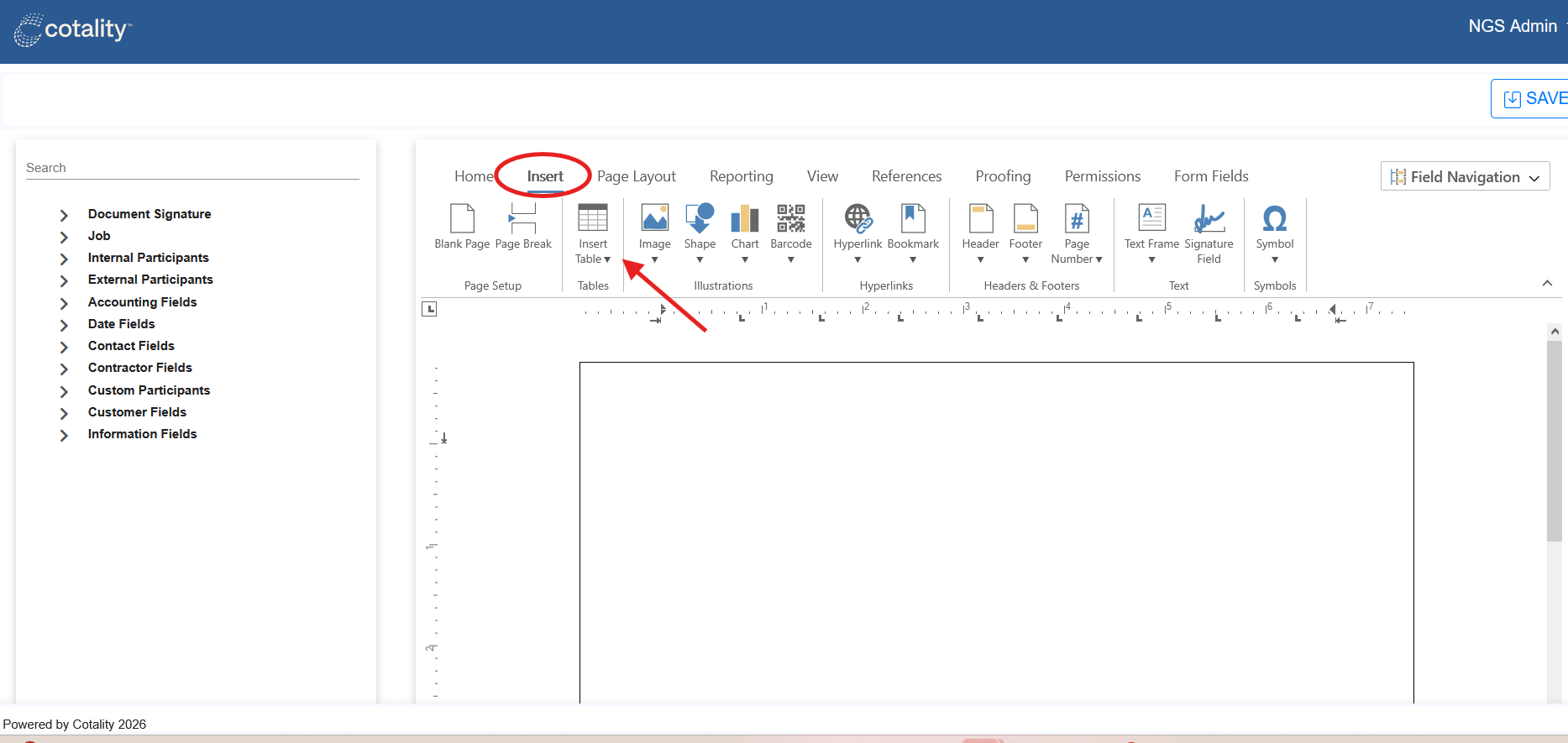
- Insert a table by clicking the Insert tab. Label the table.
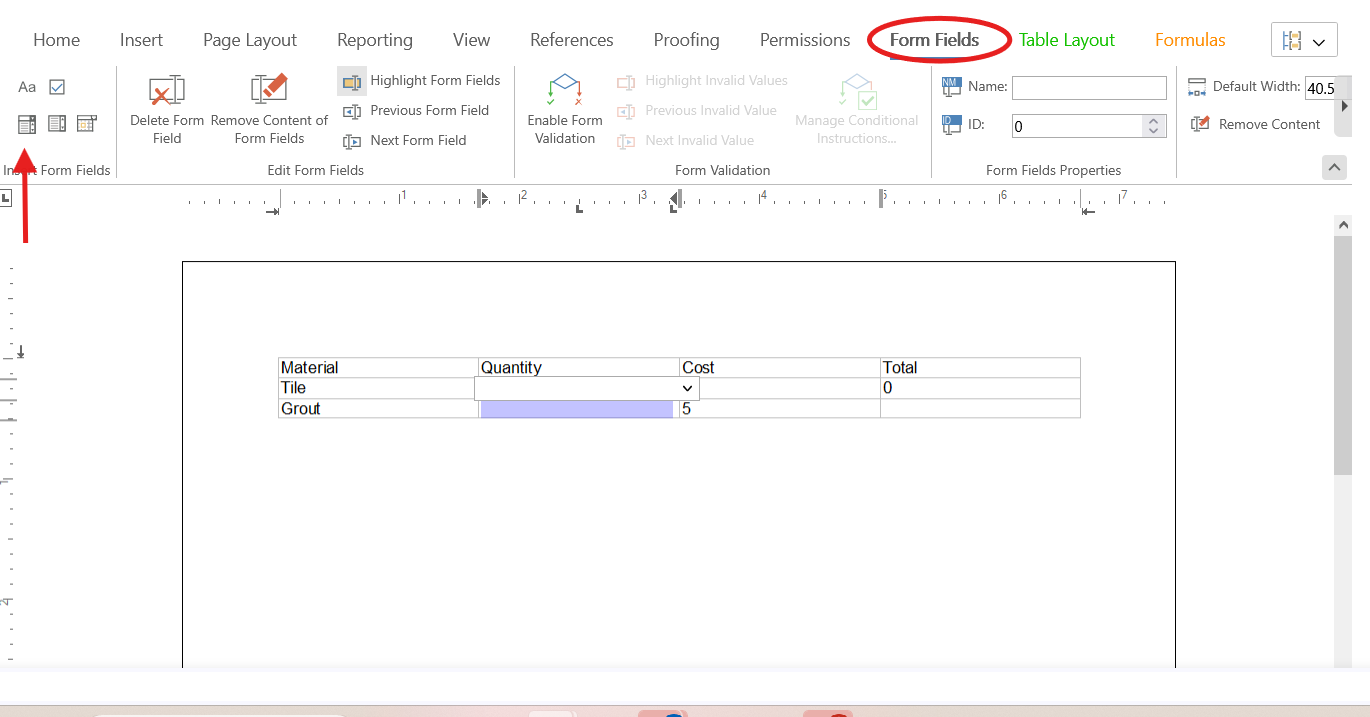
- Select the cells on your table that you will be filling out in the field. Navigate to the Form Fields tab and click the button in the top left to add form fields:
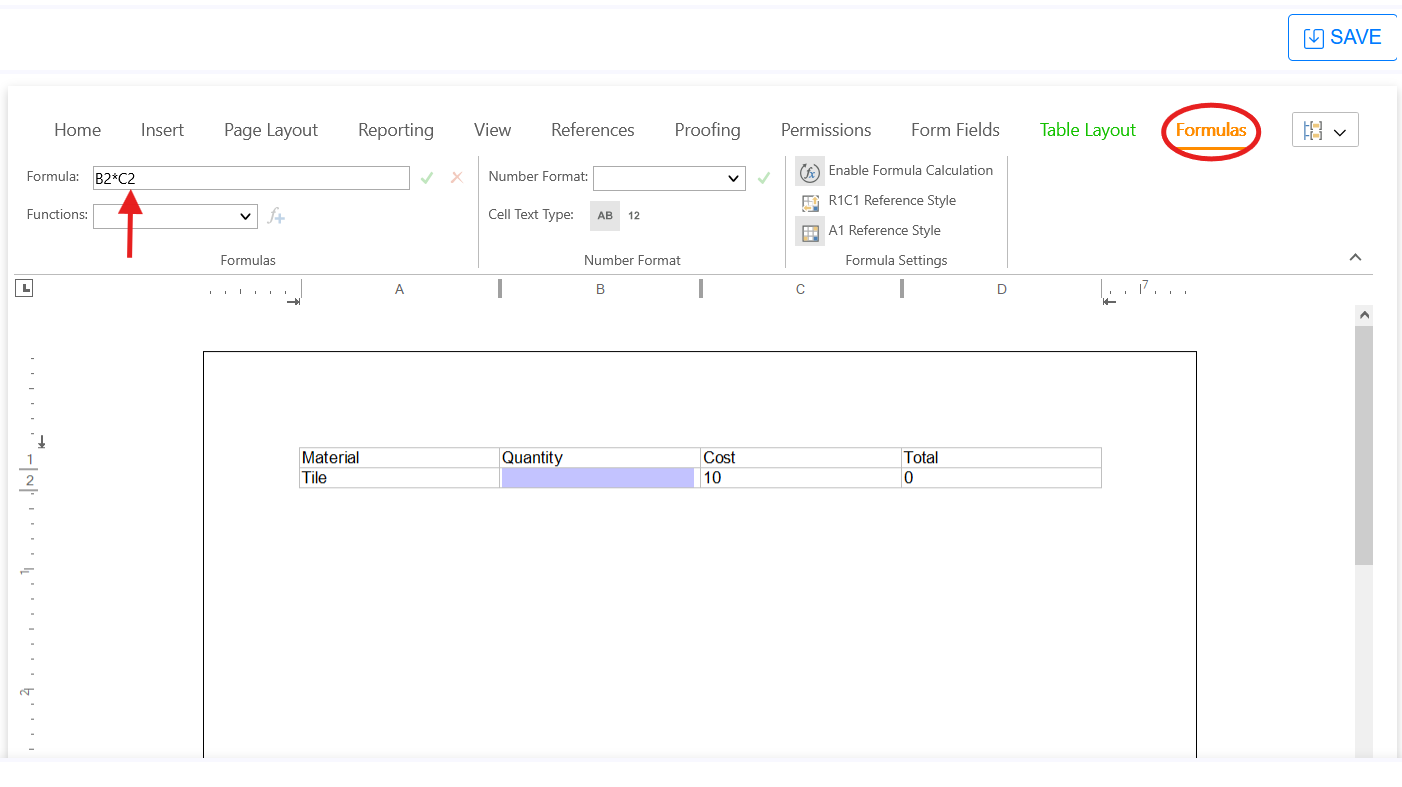
- Click the Formula tab. Put your cursor in the cell you want the formula to calculate in. In the top left, build your formula.
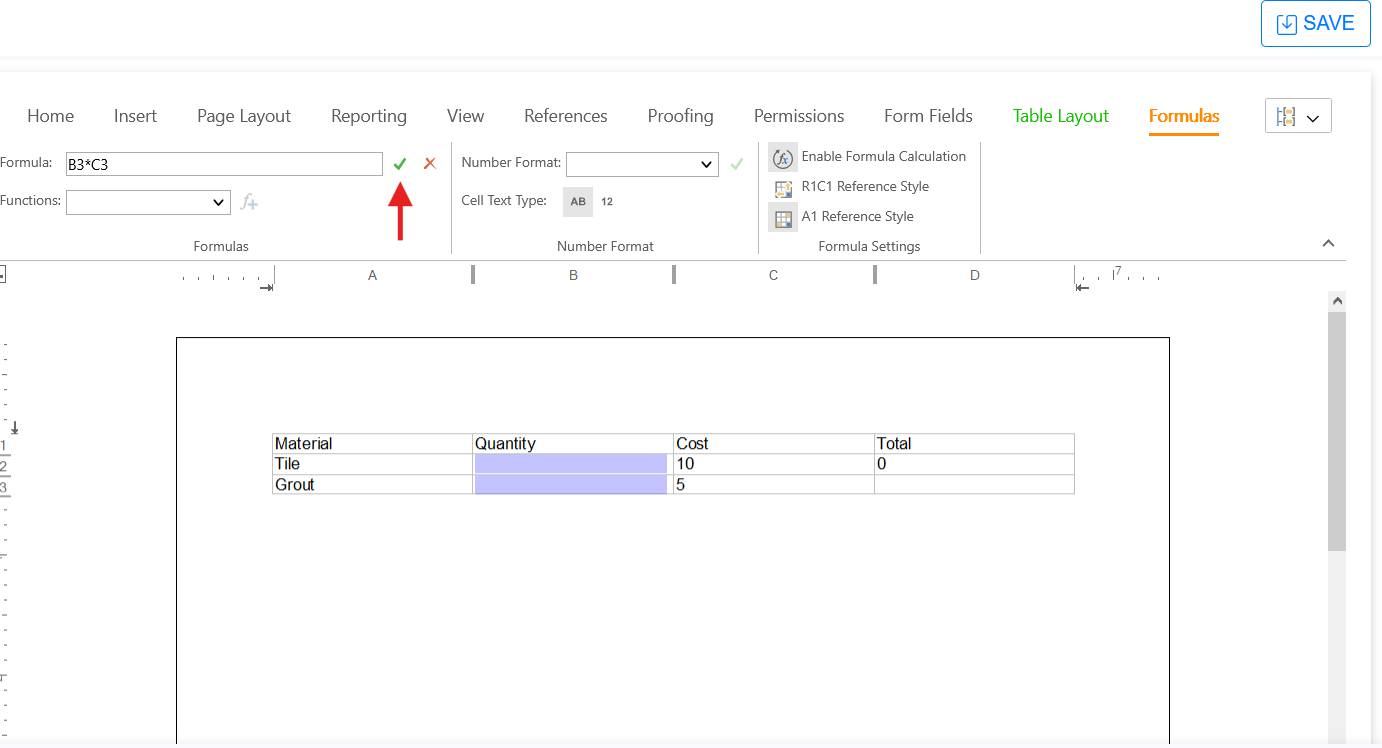
- Click the Check for Validation button.
- Save your checklist.
IMPORTANT NOTE: If the checklist is added to a job and you are filling it out via the mobile app, you will not see the calculations until AFTER the checklist is completed. You will be able to view the calculations on the PDF.
Questions? Contact Us!