Learn how to efficiently add new items to the Master Data section within Mitigate Web. This guide provides a step-by-step walkthrough for inputting mandatory details to ensure your project records are accurate and complete.
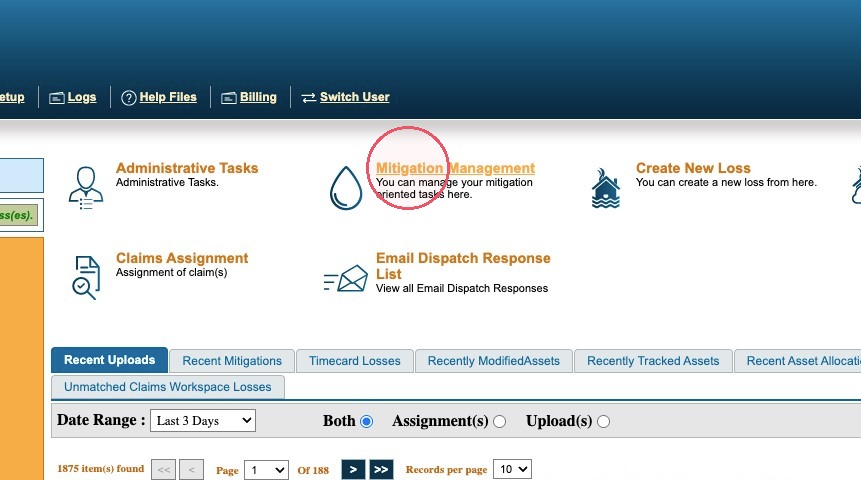
1. Click Mitigation Management.
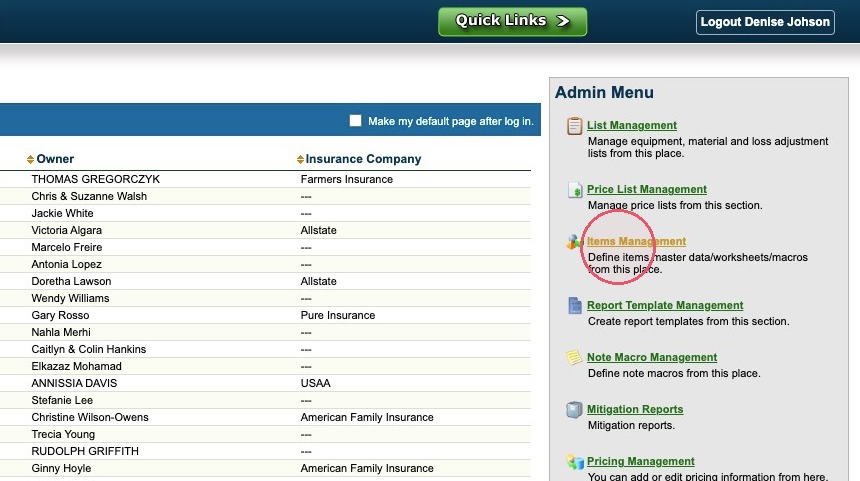
2. Click Items Management.
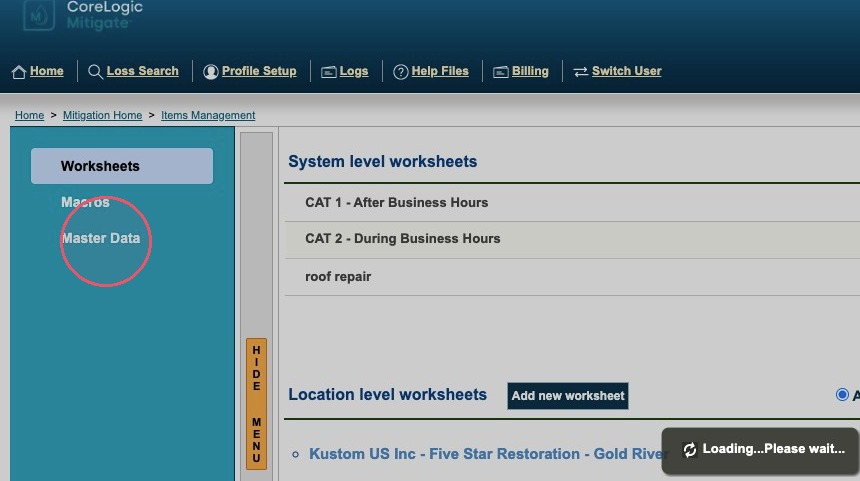
3. Click Master Data.
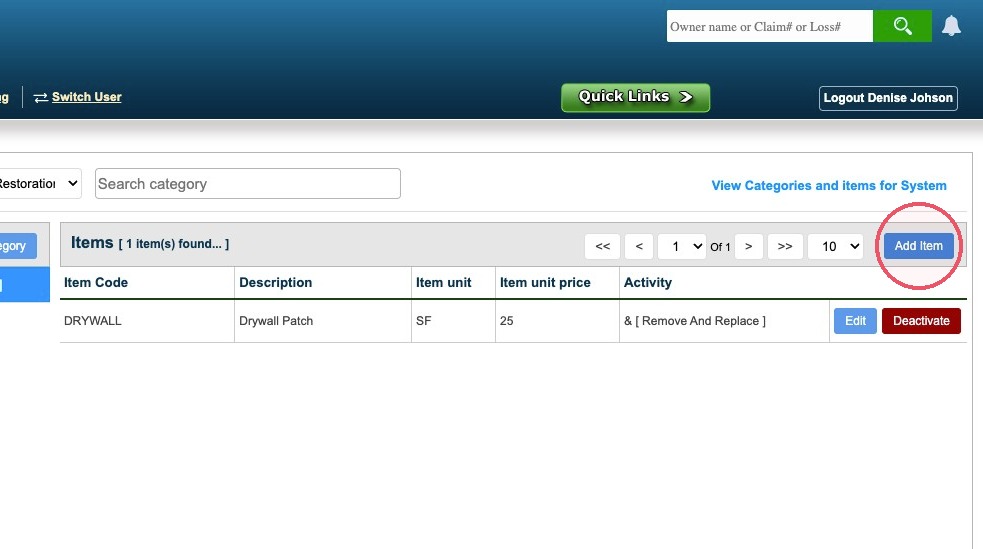
4. Click Add Item.
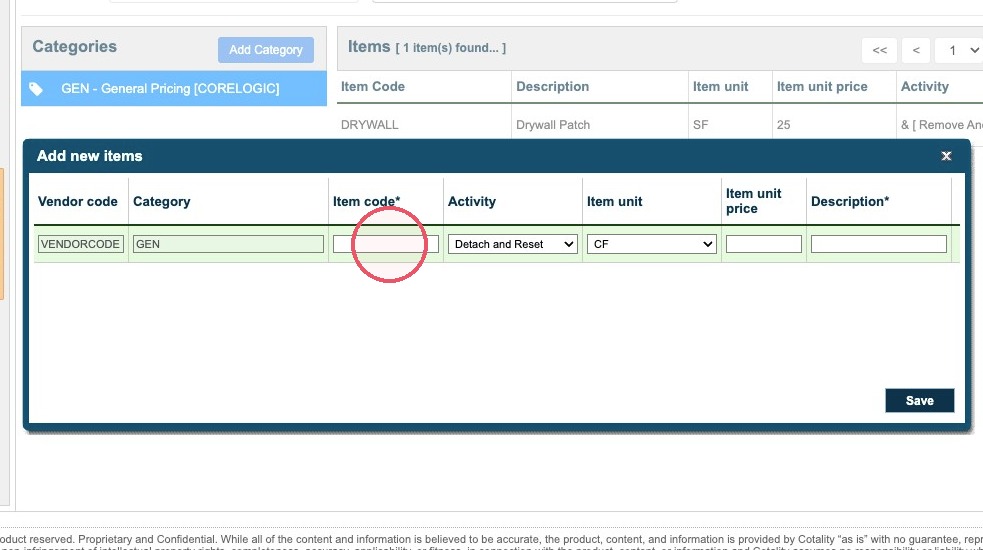
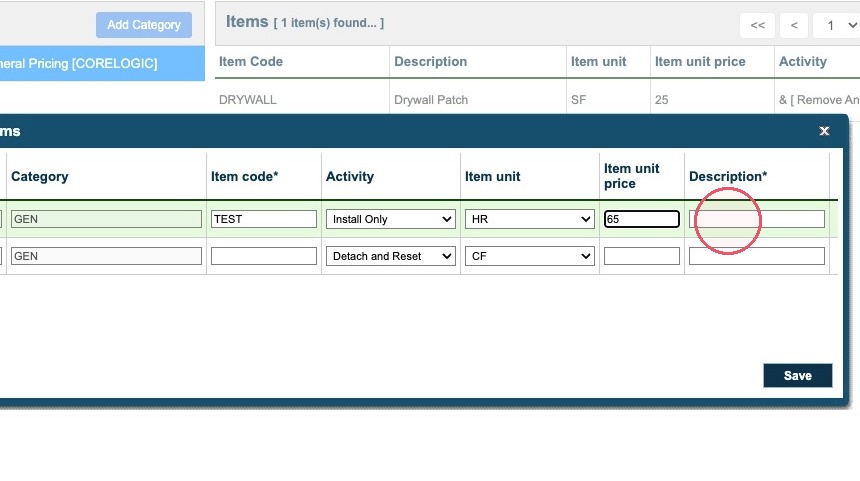
5. Enter an Item Code for the line item.
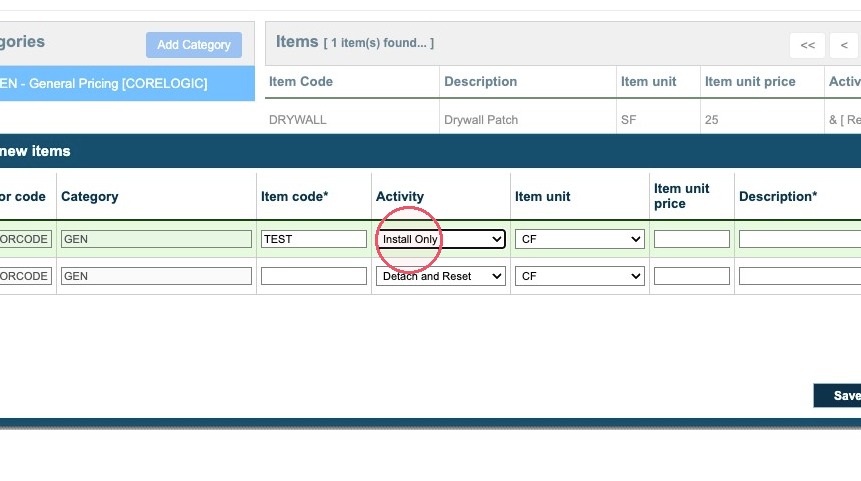
6. Select the appropriate Activity from the list of options.
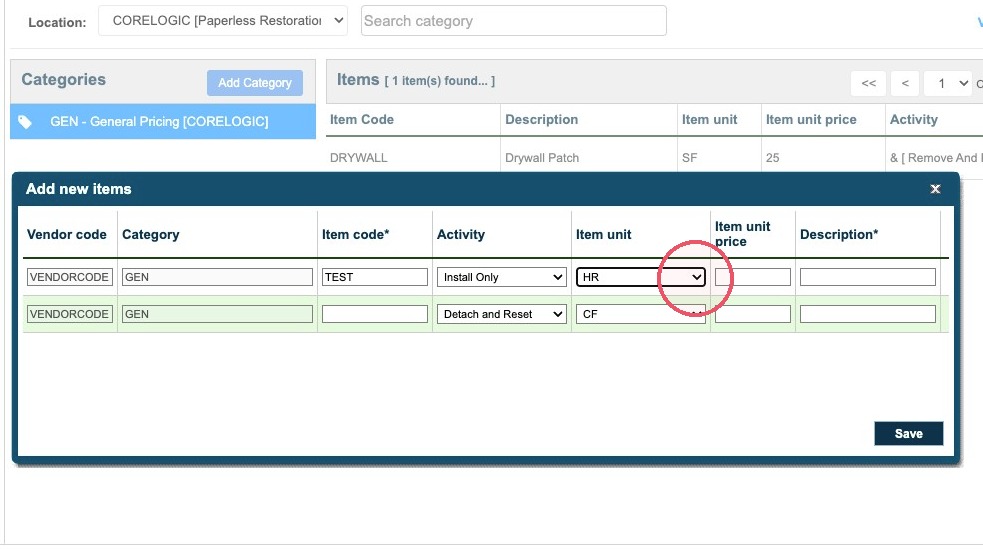
7. Select the Item unit from the list of items.
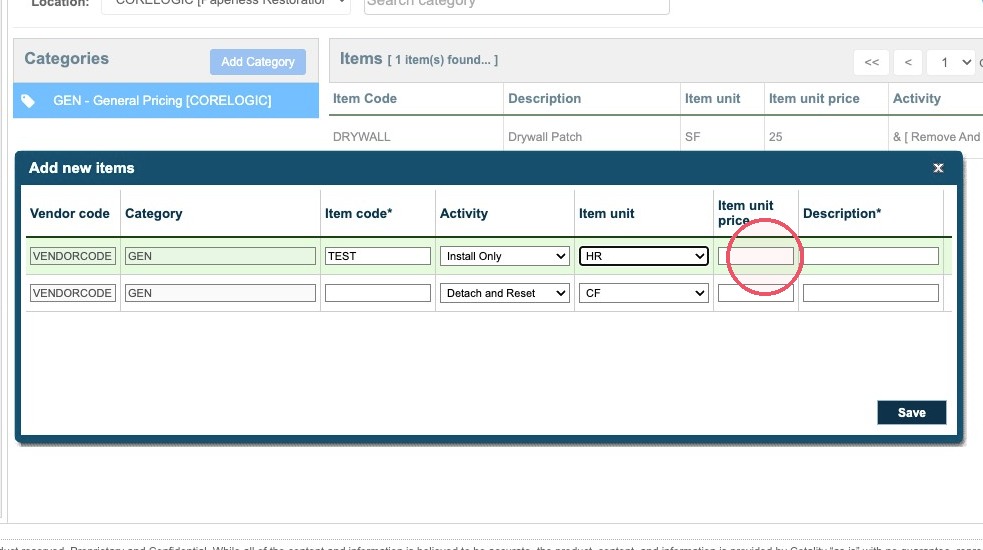
8. Enter the Item unit price.
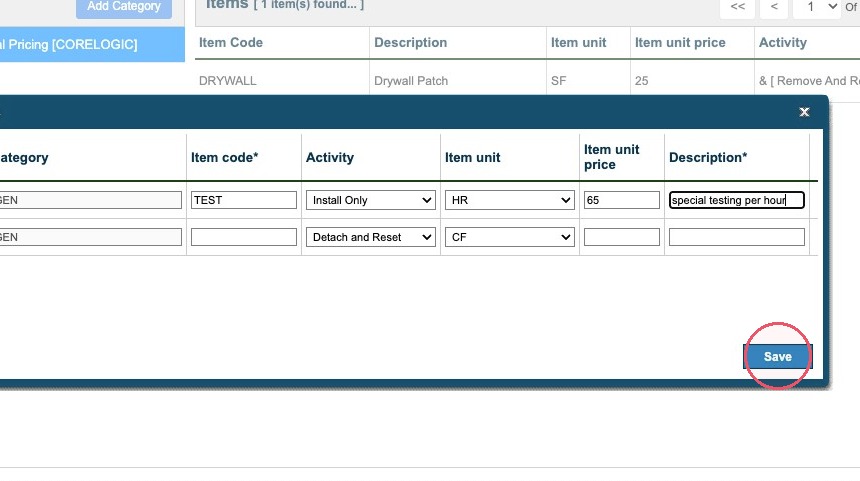
9. Enter a Description for the new item.
10. Click Save.
Tip: This completes the process for adding a new Item to Master Data.