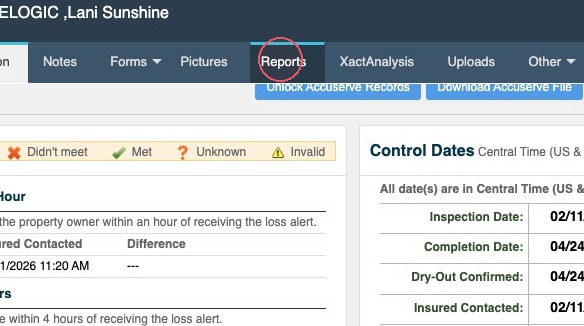
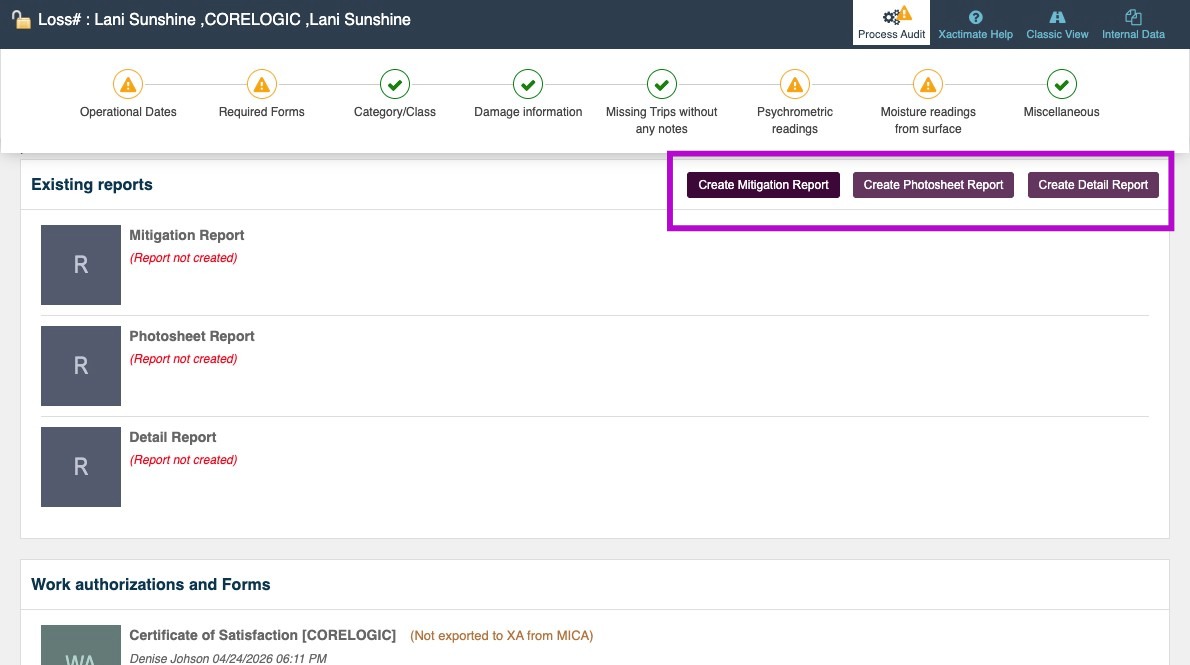
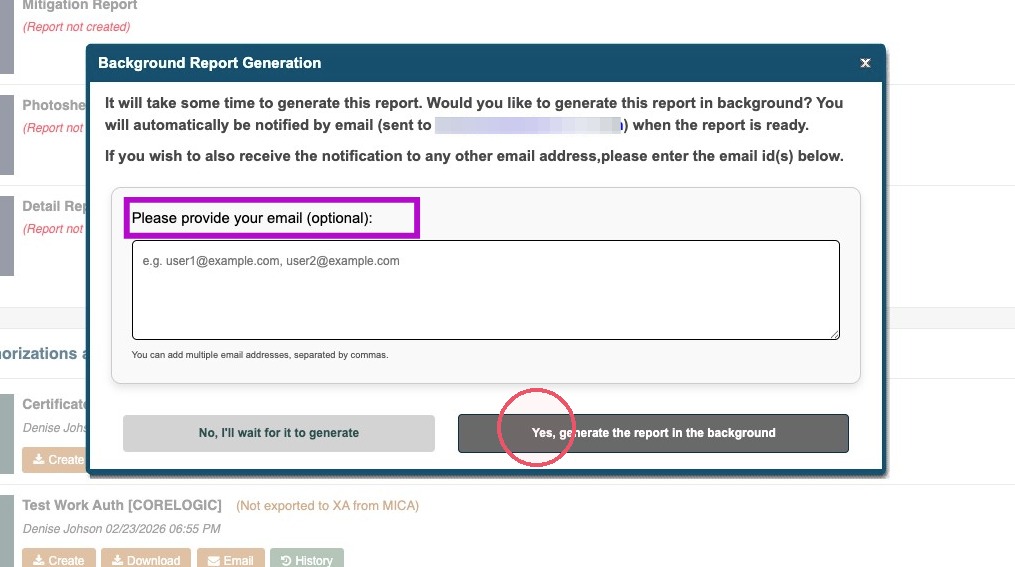
Mitigate Web: Generating Reports Modified on: Wed, 11 Nov, 2026 at 4:06 PM QuestionHow do I generate a report in Mitigate™ web?Can I generate reports in Mitigate™?Where do I make reports in Mitigate™?AnswerMitigate Web: Generating ReportsFollow this guide to generate reports in Mitigate Web.1. Form your job, click Reports tab in the top menu.2. Click one of the report buttons to Create a new report.Generally, you can choose the following:Mitigation Report for insurance adjustersPhotosheet Report to provide visual evidence of workDetail Report for your company's audit records3. Enter any additional email addresses and then choose:No, I'll wait for it to generate or Yes, generate the report in the backgroundTip: This concludes the proces for generating reports through Mitigate Web.Questions? Contact Us!