
Issue
- Unable to upload a data estimate from Xactimate
- Receiving this error when uploading an estimate - "we are sorry but this PDF estimate could not be parsed by our program. Please regenerate the Estimate and try uploading it again"
Solution
The most frequent reason for PDF report integration errors is incorrect export settings within Xactimate.
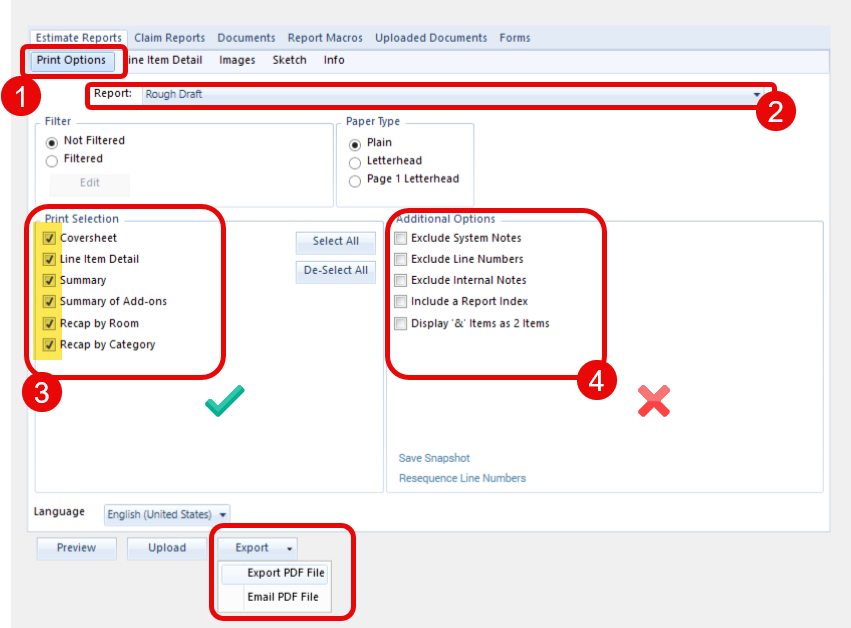
To resolve this, ensure your Xactimate settings for saving/exporting the report PDF match the required configuration for DASH™ integration:
- Xactimate Export/Save Settings: When regenerating the estimate in Xactimate, verify the following options are selected before saving:
- Report Type: Must be set to Rough Draft.
- Print Selection: All options under this section should be checked.
- Additional Options: No options under this section should be checked (all should be deselected).
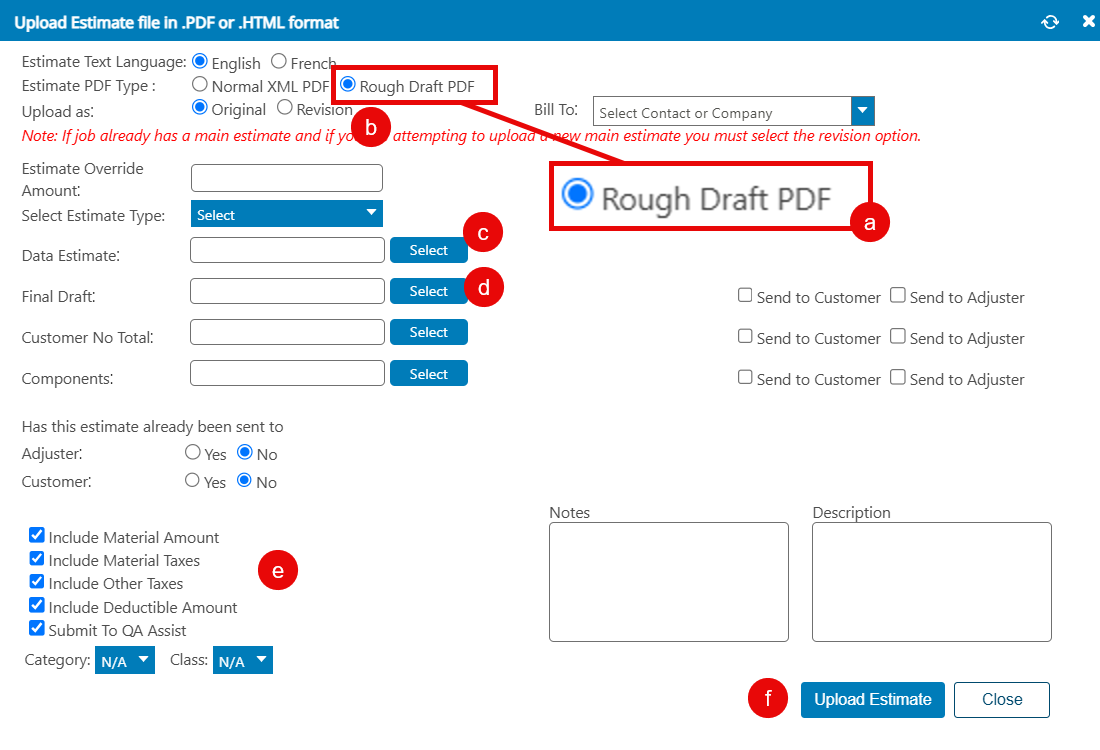
- DASH Import Settings: In DASH, verify that the "Estimate PDF Type" is set to Rough Draft PDF, corresponding to the Xactimate export.
- Final Check (If Error Persists): If the error continues after verifying the PDF type in both systems
- Check the Estimate Date: Ensure that the estimate within Xactimate has a Date Received added.
Questions? Contact Us!